WooCommerce 11.3.1 security update breaking checkout or coupons? How to verify your store after updating
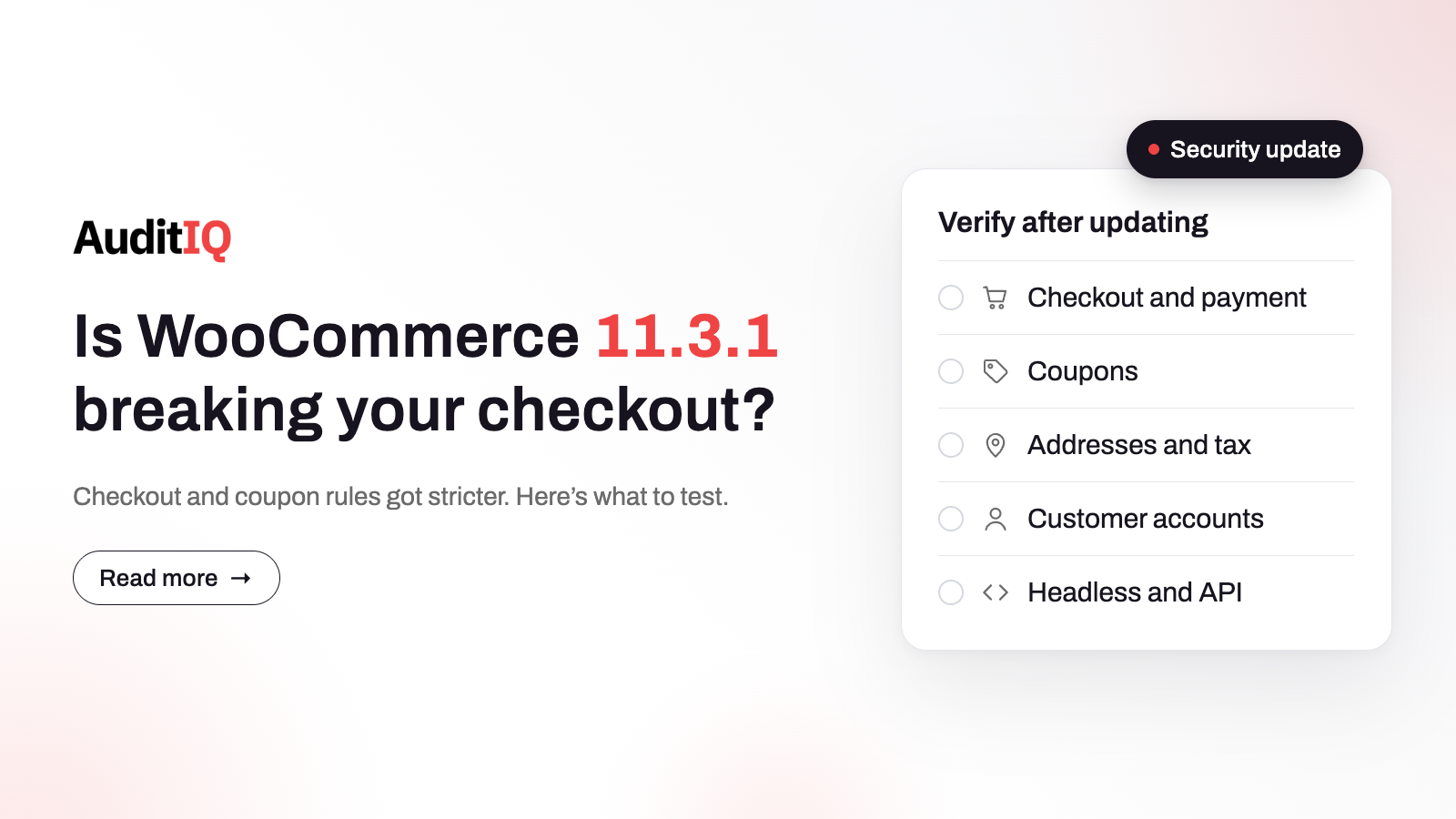
WooCommerce 11.3.1, a security-focused patch released on 19 November 2026, tightens checkout, coupon, address, customer account, and API checks, so a flow that relied on looser behaviour can start failing. The best-documented break is on headless storefronts, where credentialed cross-origin Store API requests now need an allowed origin. Complete the database update, test checkout, addresses, and every active coupon, check your integrations and user roles, and fix forward rather than rolling back.
A version number ending in .1 usually suggests a small fix, which is why a patch release is easy to apply and forget. WooCommerce 11.3.1 is a patch with a database update that changes how checkout, coupons, addresses, accounts, and API permissions behave. It landed eight days before Black Friday, so the next few days are its first real test.
This guide covers what changed, who is most likely to notice, a nine-step way to verify your store, and focused fixes for the three problems merchants are most likely to meet: headless checkouts, coupons, and address validation. Merchants can run the checks themselves, and agencies can use them as a post-update runbook.
What changed in WooCommerce 11.3.1?
The short answer is a lot, in a release number that looks small.
WooCommerce says security fixes now ship in dedicated patch releases by default, with critical and high severity fixes landing in the next patch on the current version. A store that applies patches quickly, or automatically, can therefore pick up behaviour changes without noticing. WooCommerce’s release notes group the changes by area, and its changelog lists more than sixty individual fixes. The ones most likely to show up in a merchant’s day are:
- Checkout and addresses: stronger address and selling-location checks on classic and block checkout, state shipping zones and tax rates applied when a state is typed by name, ZIP+4 postcodes matched against shipping zones and tax rates, and checkout refused when the billing country is missing or outside your selling locations.
- Paying for existing orders: stricter checks before the Store API reuses an order awaiting payment, stronger order status checks, restrictions applied to offline gateways and virtual orders, and PayPal Standard shipping updates that need an active checkout credential.
- Coupons: more consistent enforcement of usage and per-customer limits, exact matching of allowed emails, usage counts kept accurate when orders are cancelled or coupons removed, and a cart recalculation when coupons are removed through the Store API.
- Shared links: shared cart and checkout links now copy only the cart and its coupons, not the sharer’s checkout details.
- Customer accounts: email confirmation that asks for the account password, less customer information on order tracking and review pages, and a new My Account email-confirmation template.
- Permissions and API: tighter access checks for order-related REST operations, updated REST API key authentication for Store API requests, and a legacy wc-admin options endpoint that now needs the manage_woocommerce capability.
- Headless storefronts: credentialed cross-origin Store API requests must come from an origin that WordPress allows.
Most stores will notice none of this, but these are the places to look if something has gone wrong since the update.
Who is affected, and what are the symptoms?
Risk follows how customised your checkout is, so start by asking which of these describes your store.
- a headless or custom storefront that calls the Store API from another origin
- a coupon-heavy store, especially one with usage limits, per-customer limits, or allowed-email rules
- a store that sells across states or countries, or where shoppers type addresses in different formats
- integrations, such as an ERP or order system, that use custom roles or set customer metadata through the REST API
- a store that sends shared cart links, uses pay-for-order links, or accepts payments on existing orders
- a theme that overrides My Account templates, or a store that uses PayPal Standard
What WooCommerce’s own release notes and changelog support
- browser CORS errors on a headless checkout
- a coupon rejected or counted differently, or coupons removed from a cart when coupon codes are disabled in settings
- a different total after a coupon is removed through the Store API
- shipping or tax that changes because a state typed by name, or a ZIP+4 postcode, now matches a zone or rate
- checkout refused for a missing or unsold billing country, or when registration and guest checkout are both disabled
- a shared cart link that restores the cart but no longer the sharer’s details
- permission errors from an integration with a custom role
Two further problems are reported by merchants in the comments on the release post but are not confirmed by WooCommerce: the PayPal button disappearing when a shipping option is selected, and admin login failing in the WooCommerce mobile app. Treat both as leads to test on your own store.
How to verify your WooCommerce store after updating
Work through the nine checks below in order. Each one maps to a group of fixes in WooCommerce’s 11.3.1 changelog, so together they cover every area the release touched. Where you can, run them on a staging copy first, then repeat the ones that matter on the live store.
Step 1: Confirm the version and database update
Open WooCommerce, Status, System Status, and confirm the version reads 11.3.1. The release includes a database update, so complete any pending update notice before you trust the results of the other tests.
- Clear every caching layer, including page cache and CDN, so you test live behaviour and not stale pages.
- If shop or category pages look wrong after the update, WooCommerce suggests flushing permalinks: go to Settings, Permalinks and click Save.
- If you have not already, take a backup. WooCommerce recommends one even for automatic updates.
Step 2: Run full checkout tests
A single successful test order proves little, because the changes depend on the customer, address, shipping option, and payment method. Cover the variations:
- every active payment method, as a guest and as a logged-in customer
- every shipping option, including local pickup, while watching whether the payment buttons stay visible
- both account settings you use: if customer registration and guest checkout are both disabled, checkout is now refused before processing hooks run
- a fresh private window on a device you have not tested with, so no cached session hides a problem
Finish by confirming the order and its totals in the admin, and check that stock levels dropped by the right amount, since held-stock counts were also changed.
Step 3: Test addresses, shipping zones, and tax
Address handling changed in several small ways that can alter shipping and tax without any error, so test the cases your customers actually type:
- a state entered by name instead of its code on classic checkout, which now matches state shipping zones and tax rates
- a ZIP+4 postcode against a zone or tax rate limited to a five-digit ZIP or a range of ZIPs
- a state or postcode that is not valid for the country, which block checkout now rejects
- a billing country outside your selling locations, which should be refused, and an address where the town or state is entered as 0
- if you force shipping to the billing address, confirm block checkout orders ship there
Compare the shipping and tax totals with what you expect for each address, not just whether checkout completes.
Step 4: Test every active coupon
Coupons are where the release is most likely to surprise you, because several rules are now enforced more consistently. Test each coupon in a cart that should qualify and in one that should not, then remove it and check that the total recalculates.
- a coupon with a usage limit, including one that has reached it and should be rejected
- a per-customer limit, tested with a customer who has already used it
- an allowed-emails list: entries are now matched exactly, with the asterisk as the only wildcard, so test a matching and a non-matching email
- a coupon on a cheap item, since discounts are now kept within the price of the items they apply to
- a coupon on an order you then cancel or fail, and check its usage count returns
- the store-wide coupon setting: with coupon codes disabled, coupons already in a cart are removed
If you apply coupons through the Store API, test that flow separately, including removing every coupon from the cart.
Step 5: Retry payment and pay-for-order flows
Several fixes target orders that already exist, which is the situation after a failed payment, so a happy-path test will not exercise them.
- Fail a payment on purpose, then return to checkout and pay again, and confirm the same order is reused cleanly.
- Open a pay-for-order link for a pending order, including one with a shipping address in a country you do not ship to, which should now be refused.
- If you use an offline gateway, check its shipping method and virtual order restrictions when paying an existing order.
- If you use PayPal Standard, test checkout with shipping selected and with local pickup, because shipping updates now require an active checkout credential.
- Open checkout in two tabs and complete one, to check that a concurrent update does not add unpaid products to a completed order.
Step 6: Test shared cart and checkout links
WooCommerce now makes checkout link URLs carry a token that only copies the cart to another browser, and shared cart links copy only the cart and coupons. Our reading is that any link you built to restore a shopper’s details, such as a recovery link or a marketing link, may now restore only the cart.
- Open each shared or recovery link in a private window and see what is restored.
- Check that a sold-individually product added through a checkout link stays limited to one per order.
- Update any email or ad template that depended on pre-filled customer details.
Step 7: Test customer account flows
Register an account, log in, reset a password, and change an email address, and confirm the emails arrive. WooCommerce now asks for the account password before confirming an email address from My Account, and verifies ownership only with a password credential tied to the emailed recipient, so walk through the whole confirmation flow.
- If your theme overrides WooCommerce templates, compare your override with the new
myaccount/form-confirm-email.phptemplate. - Open an order tracking page and the Review Order page while signed out: they now show less customer information.
Step 8: Check headless stores and integrations
For a headless storefront, open the browser console and run a credentialed request from the storefront’s own origin. A CORS error means the origin needs allowing, and the fix is in its own section below. For integrations, test a read and a write with each role and key:
- order-related REST operations now have tighter permission checks, and REST API key authentication for Store API requests was updated
- the legacy wc-admin options endpoint needs the manage_woocommerce capability, which can affect custom order-only roles
- user role, capability, and session keys sent as customer metadata through the REST API are now ignored, so check any integration that relied on them
WordPress allows its own home and admin origins by default, so only a storefront on a different origin is affected by the headless change.
Step 9: Read the logs
Open WooCommerce, Status, Logs and review entries since the update, then the PHP and web server logs. WooCommerce says 11.3.1 omits potentially sensitive call arguments from fatal and Store API error logs, so entries may show less detail than before. Cross-check with the browser console and the integration’s own logs, and watch for a 500 from an extension hook or a refund rejection from the earlier releases covered below.
What to do if a test fails
Match what you saw to the likeliest area, apply the first fix, then repeat the same test.
| What you saw | First fix | Then verify |
|---|---|---|
| Headless checkout fails with a CORS error | Allow the exact storefront origin, or stop sending credentials if you only use cart tokens | Login, cart, and checkout from the storefront |
| A coupon is rejected | Review its usage limit, per-customer limit, allowed emails, and the store-wide coupon setting | The exact cart that failed |
| Shipping or tax changed for an address | Check the shipping zone and tax rate against the state or postcode format used | The same address, typed both ways |
| An integration gets 401 or 403 | Check the role and its capabilities, including manage_woocommerce for the wc-admin options endpoint | A read and a write with that role |
| A retried payment fails | Check the order status and the payment gateway’s own logs for the existing order | A deliberate failure followed by a retry |
| PayPal button missing with shipping selected | Test with the PayPal plugin updated and a default theme, then report it to the plugin vendor | Checkout with shipping and with pickup |
If none of these explains it, WooCommerce recommends a conflict test with Health Check, which lets you disable plugins and themes without affecting your visitors, or the same test on a staging site. Once every flow you care about passes, note the version and the date, so you have a known-good point to compare against after the next release.
How to fix headless CORS errors after 11.3.1
Not every headless store is affected, so confirm the conditions before changing anything.
WooCommerce says your integration may be affected if all of these apply:
- it calls the Store API from a different origin than the WordPress site
- it sends browser credentials, for example through
fetch()withcredentials: 'include' - the origin is not already allowed in WordPress
If your integration needs cross-origin login cookies, add its exact, trusted origin through WordPress’s allowed_http_origins filter, as WooCommerce’s example shows:
add_filter( 'allowed_http_origins', function ( $origins ) { $origins[] = 'https://storefront.example.com'; return $origins; } ); |
|---|
If it uses cart tokens and does not need login cookies, send the request without credentials instead, for example with credentials: 'omit'. Cart-token requests that omit credentials keep working without any change. WordPress allows its own home and admin origins by default, so list only other origins you control and trust, and never a wildcard. After deploying, test login, cart, coupon, and checkout from the storefront itself.
Why are coupons rejected after 11.3.1?
Usually because a rule you configured long ago is now being enforced the way it was written.
WooCommerce’s changelog lists several coupon changes that can turn a previously accepted code into a rejected one. If a coupon that used to apply is now refused, check these in order:
- Has the coupon reached its total usage limit, or has this customer reached theirs? Per-user limits are now counted differently, and counts stay accurate when an order is cancelled, failed, or trashed, or when the coupon is removed from an order.
- Is there an allowed-emails entry that the customer’s email does not match exactly? The asterisk is the only wildcard.
- Are coupon codes switched off in the store-wide setting? Coupons already in a cart are then removed.
- Does the discount exceed the price of the items it applies to? It is now kept within that price.
- Did the cart’s coupons change after an unpaid order was created? The unpaid order now keeps its own coupons.
Test the exact cart that failed, because the cart contents and the customer decide the result, not the coupon alone.
Why is checkout rejecting valid addresses after 11.3.1?
Because address validation is now checked against your selling locations and each country’s own rules.
WooCommerce says address and selling-location checks are stronger across classic and block checkout, and its changelog lists the specifics. A customer who is refused is usually one of these:
- a billing country that is missing or outside the countries you sell to
- a state or postcode that is not valid for the chosen country on block checkout
- a pay-for-order request whose shipping address is in a country you do not ship to
Start by reviewing your selling and shipping locations under the store settings, then reproduce the failure with the customer’s exact address. If shipping or tax now differs rather than failing, compare the customer’s state or postcode format with your zone and rate definitions.
Should you roll back WooCommerce 11.3.1?
Usually not, but there is one narrow case where it makes sense.
WooCommerce recommends updating stores promptly because the release is security-focused, so treat a rollback as short-term containment, not a fix. It is reasonable when a flow is actively losing orders and has no quick fix. If you do roll back, follow the vendor’s update guidance and:
- record what broke and keep the logs, so you can fix the cause later
- use a tested backup, not just plugin files, because the release includes a database update
- plan the compatibility fix and reapply the update as soon as it is ready
Where you can, test any change on staging first, because a rushed configuration change on a live store during a sale carries its own risk.
What else changed in WooCommerce this month?
Three releases in three weeks mean a problem you notice now may come from any of them.
- 11.2.2 (4 November): Store API checkout now stops if the order cannot be saved, and a callback from an extension on the order save hooks that throws an error makes checkout return a 500.
- 11.3.0 (11 November): the REST API now validates refund line-item amounts and returns HTTP 400 or 422 instead of creating an inconsistent refund, so a connector must not assume a refund succeeded. The old WooCommerce MCP endpoint is removed.
- 11.3.1 (19 November): the release this article covers.
Keep a note of which version you were on when each test last passed, so you can tell which release introduced a change.
How AuditIQ helps you catch update surprises
AuditIQ does not run your coupon tests, address tests, or REST role checks, so the steps above stay yours. It helps with what happens around an update:
- Catch the error: Log Monitoring surfaces PHP errors, payment exceptions, and stack traces with their frequency, and flags spikes and new error types, which helps when an extension hook starts failing at checkout.
- See the drop-off: User Experience Monitoring shows where customers drop off in checkout, with device, browser, and session context, so a rejected coupon or address check that costs orders becomes visible.
- Know what changed: Module Monitoring keeps an inventory of the modules and extensions on your store and tracks updates, which helps you match a problem to the day something changed.
- Spot the conversion dip: Analytics brings unsampled Google Analytics data and funnel analysis into one place.
Updates are only one source of surprises. AuditIQ is a 360° eCommerce monitoring platform purpose-built for Magento, Adobe Commerce, and Shopify stores, covering performance, infrastructure, SEO, security, user experience, configuration, and code quality from a single, unified dashboard.
Before the next patch lands in a peak week, record how your checkout behaves today. Start a free AuditIQ trial and set your baseline.
Others also read
- Payment plugin gets patched, your checkout doesn’t verify itself: The revenue gap between security updates and storefront integrity
- Three platforms, three critical patches, one week: eCommerce’s patch velocity problem is now a revenue problem
- WooCommerce store hacked through a plugin: Guide to detect webshells before they steal customer data
Frequently asked questions
1. Does WooCommerce 11.3.1 include a database update?
Yes. The release notes list a database update, so complete any pending update notice in WooCommerce, Status before relying on your tests.
2. Why did a patch release change how checkout and coupons behave?
WooCommerce says security fixes now ship in dedicated patch releases by default, so a patch can carry behaviour changes. Test it like a feature release.
3. Are the coupons that worked before still valid?
They remain valid if they meet their configured rules, but WooCommerce now enforces usage limits, per-customer limits, allowed-email entries, and the store-wide coupon setting more consistently. If one is rejected, review those rules and test the exact cart.
4. Do shared cart links still work?
Yes, but they now copy only the cart and its coupons to the other browser, not the sharer’s checkout details. If a link relied on pre-filled customer details, test it and update any email or ad template that used it.
5. Will rolling back to 11.3.0 fix it?
It may restore the old behaviour, but 11.3.1 is a security-focused release and includes a database update. Use a rollback only as short-term containment, with a tested backup, and plan the compatibility fix.
6. Which of the reported problems are confirmed?
WooCommerce confirms the changes in its release notes and changelog, including the headless origin requirement and the tighter REST access checks. The PayPal button and mobile app login problems come from comments on the release post, so verify them on your own store before acting.
About the author
Ginny Ngo writes from AuditIQ's experience monitoring eCommerce performance, SEO, security, and reliability issues across Magento, Shopify, WooCommerce, and Adobe Commerce stores.