The $18 billion checkout problem: Why session timeouts, site errors, and invisible friction are eCommerce’s biggest revenue leak

According to the Baymard Institute, the average eCommerce cart abandonment rate sits stubbornly at 70.22%. On mobile, it’s north of 75%. Online retailers lose an estimated $18 billion annually from abandoned carts, and the projected value of merchandise left in online carts reaches roughly $4 trillion each year. These are staggering numbers, and they have barely budged in a decade.
Most conversations about cart abandonment focus on the usual suspects: unexpected shipping costs (39% of abandonments), slow delivery (21%), and forced account creation (19%). These are real problems, and they deserve attention. But there is a category of abandonment causes that is chronically under-discussed because it is harder to see: technical friction.
Unlike shipping costs or account friction, technical errors do not announce themselves. They do not show up in a funnel report or trigger an alert. They simply cost you customers, silently, at scale.
Technical friction is costing you $2.7 billion
According to multiple studies aggregated by the Baymard Institute, 15% of online shoppers abandon their cart specifically because the website had errors or crashed. That might sound like a small percentage, but do the maths: 15% of $18 billion annually from abandoned carts is $2.7 billion worth of transactions that did not complete because the site broke alone.
Four technical frictions most teams don’t monitor
So where is that $2.7 billion going? The technical causes of checkout friction tend to fall into four categories, each with a different root cause and a different fix.
1. Session timeout mismanagement. As a recent Smashing Magazine article on session timeouts and authentication design details, session timeouts that silently expire user data mid-checkout are devastating. A customer fills in shipping details, gets distracted by a phone call, returns to their browser, and finds their cart empty with no explanation. WCAG 2.2.6 requires that users be warned about data loss due to inactivity timeouts and that any such timeout lasts at least 20 hours unless the data is preserved, yet countless eCommerce sites violate this standard.
2. JavaScript errors on checkout pages. A single uncaught JavaScript error can disable form validation, prevent payment processing, or make the Place Order button unresponsive. These errors are often intermittent, triggered by specific browser versions, ad blockers, or third-party script conflicts, making them nearly impossible to catch in pre-launch testing.
3. Third-party integration failures. Payment gateways, shipping calculators, tax services, review widgets, loyalty programme integrations: modern eCommerce checkouts depend on a web of external services. When any of these fail silently, the customer experiences friction. A 2-second delay while a payment processor responds might not crash the page, but it creates enough uncertainty to trigger abandonment.
4. Core Web Vitals degradation. Every 100-millisecond improvement in page load time can boost conversion rates by up to 7%, according to Akamai’s report. Conversely, a Largest Contentful Paint (LCP) that creeps from 2 seconds to 4 seconds, or an Interaction to Next Paint (INP) that balloons during a traffic spike, directly correlates with revenue loss. These degradations often happen gradually, making them invisible in periodic audits.
These four failure types share a common thread: they are hard to see and easy to overlook. But there is a fifth dimension that makes them more serious still.
Note: Technical friction is also an accessibility issue. A checkout flow that breaks on screen readers, a payment form that cannot be navigated with a keyboard, a timeout that does not warn users: these are not just bugs. They are barriers that exclude entire groups of people from completing purchases.
Research shows that 87% of eCommerce leaders believe applying accessibility best practices to checkout would improve usability for all users. ADA compliance guides for eCommerce in 2026 specifically call out session timeout warnings, visible and labelled order buttons, and resizable text without loss of functionality as requirements.
The disability community represents over $1 trillion in global spending power. An inaccessible checkout is not just a compliance risk: it is a market you are choosing not to serve.
Why technical frictions and checkout failures often go undetected
Understanding the types of technical friction is one thing. Understanding why they go undetected is another, and it is why so many merchants are sitting on a revenue problem they cannot see.
When a customer abandons because shipping costs are too high, you can see it in your analytics: they reached the shipping calculation step and left. You can A/B test free shipping thresholds and measure the impact.
When a customer abandons because a JavaScript error prevented the checkout from loading, there is often no analytics event at all. The error happened before the tracking script could fire. The customer is a ghost: they existed, they intended to buy, and they vanished without leaving a trace in your data.
A Practical Ecommerce study on organic search success factors reinforces a related point: the sites winning in search share traits around technical quality, site health, and user experience. Google’s Core Web Vitals are not just an SEO signal; they are a proxy for the kind of technical excellence that also prevents checkout friction.
Why continuous monitoring changes the game
The reason these errors stay hidden is not just that they are technically subtle. It is that the tools most merchants use to catch them are not designed for the reality of production traffic.
The traditional approach, quarterly audits, manual QA sessions, and Lighthouse scores run from a developer’s laptop, is fundamentally inadequate. These methods test the site under ideal conditions, with fast connections, modern browsers, and no third-party script conflicts.
Real users do not operate under ideal conditions. They are on 4G connections in rural areas. They are using three-year-old phones with outdated browsers. They have ad blockers that conflict with your payment scripts. They get interrupted mid-checkout and come back to expired sessions.
The only way to catch errors that only appear under real conditions is to monitor under real conditions.
This is why real user monitoring (RUM) has become essential for eCommerce teams serious about conversion optimisation. RUM captures what actually happens in production, across every device, browser, and network condition your customers use.
AuditIQ takes this approach and focuses it specifically on the needs of eCommerce teams. Rather than drowning you in application performance data designed for DevOps engineers, AuditIQ surfaces the errors and performance issues that directly impact your conversion funnel. It correlates technical problems with revenue impact, so you know whether to prioritise the JavaScript error affecting 50 users on your homepage or the one affecting 5 users on your checkout page (it is usually the checkout page).
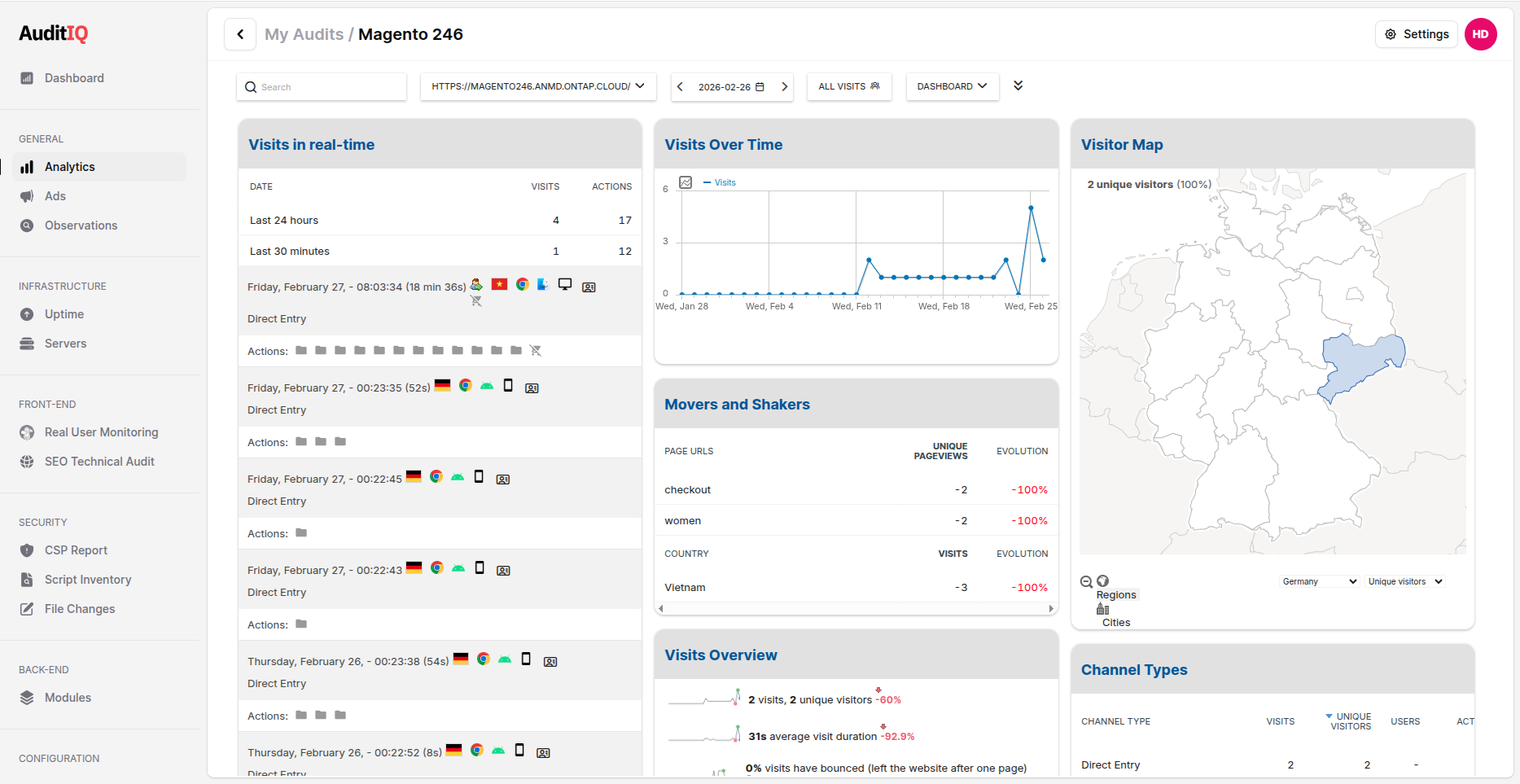
AuditIQ real-time analytics tracking
What eCommerce teams should do now
You do not need to solve everything at once. Start by making the invisible visible.
- Audit your session timeout settings. How long before a session expires? Are users warned? Is cart data preserved? Check this against WCAG 2.2.6 requirements.
- Check your checkout page for JavaScript errors. Not in Chrome DevTools, but in production, across all browsers your customers actually use.
- Monitor your Core Web Vitals with real user data. Lab scores from Lighthouse are a starting point, not a destination. Your LCP and INP in the field, on real devices, are what matter.
- Quantify your technical abandonment. If you cannot measure how many customers are hitting errors, you cannot fix the problem.
AuditIQ is built to help with all four. It monitors your live eCommerce site from your customers’ perspective and turns invisible technical friction into actionable, revenue-prioritised insights. Start seeing what your customers see today.
About the author
Dan Garner writes from AuditIQ's experience monitoring eCommerce performance, SEO, security, and reliability issues across Magento, Shopify, WooCommerce, and Adobe Commerce stores.