Your products may not be showing up when AI agents search for them: How to verify Shopify catalog visibility before the November 2 API shutdown
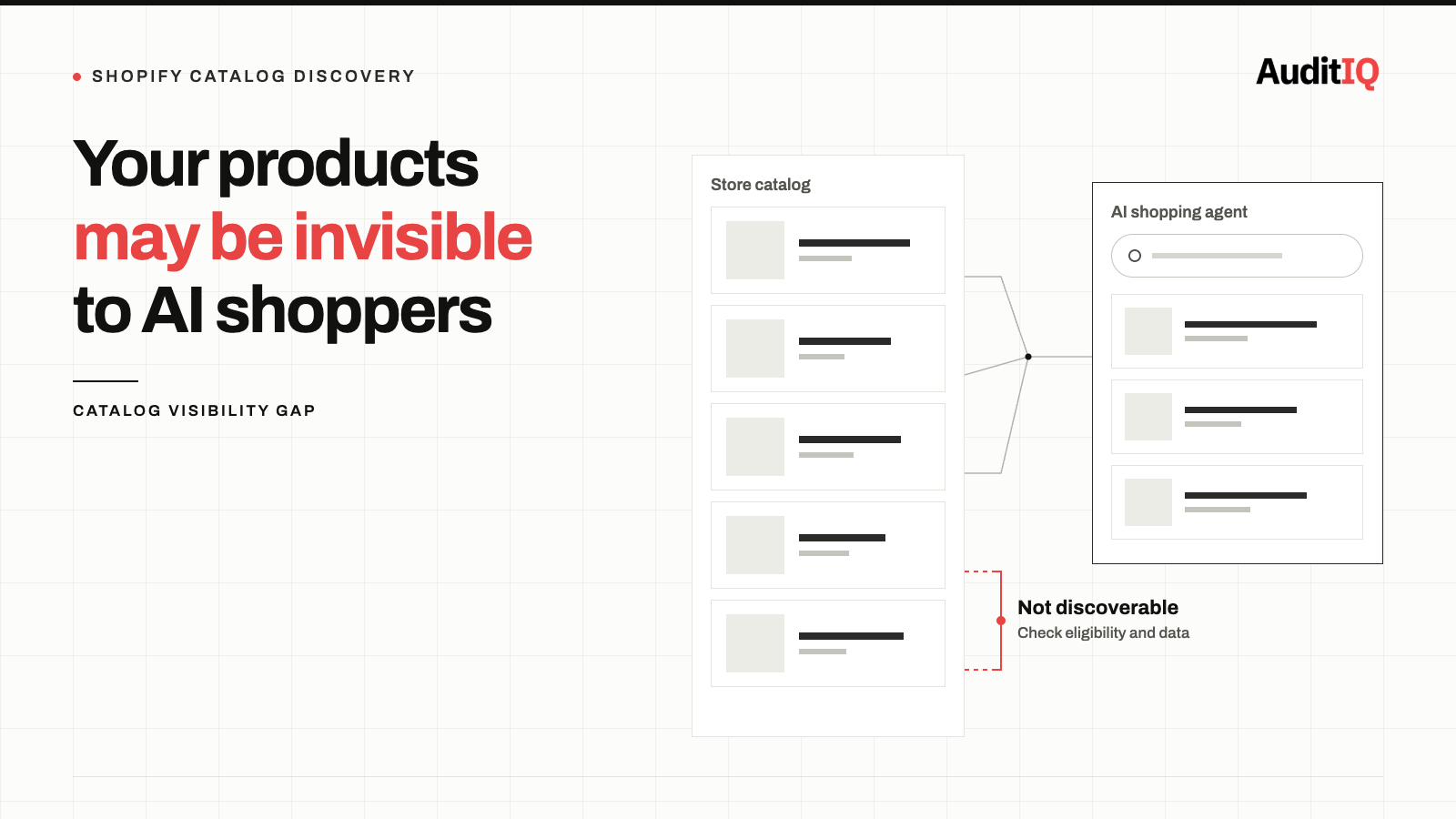
If your Shopify products aren’t showing up when AI agents search, the cause is usually on your side of the catalog: products that aren’t eligible for or are opted out of Shopify Catalog, compare-at prices that aren’t shared, a store in private mode, or thin product data. Separately, the Global Catalog REST API stops serving traffic on November 2, 2026, so any app or agent you rely on that still calls it must migrate. Check visibility with a Shop MCP search.
If your Shopify products are not appearing when AI shopping agents search for them, start with what you control: whether your products are in Shopify Catalog, whether Catalog Mapping shares the data agents need, and how complete your product data is. A separate deadline sits alongside this. Shopify deprecated the Global Catalog REST API in April 2026, and it stops serving traffic on November 2, 2026. That API is what developers and apps use to read products from across Shopify, so the deadline affects any app or agent you depend on that still calls it, rather than removing your products from the catalog. Neither problem produces an admin error or an alert.
Signs your products aren’t visible to AI agents
You may not know your products are invisible to AI agents. The failure is silent by design. Watch for these indirect indicators:
- Products appear on your storefront but not in AI shopping results. Ask ChatGPT, Microsoft Copilot, or Google AI Mode to search for your products by name and category. Results vary by platform and by which channels you have switched on, so treat the Shop MCP search below as the more reliable check.
- Markdown pricing isn’t shown to agents. Shopify’s Catalog API now returns compare-at prices as list_price (added October 9, 2026), so agents can tell when a product is marked down and by how much. If agents show only your current price with no sign of a markdown, compare-at sharing may be off, hidden for the buyer’s region, or not configured the way you expect.
- An integration partner has not confirmed migration. Any app, agent, or custom integration that reads from the Global Catalog REST API will stop working on November 2.
- There is no Shopify admin notification for these failures. Nothing in your admin tells you a product is missing from an AI channel or that an app is about to lose access.
What is Shop MCP, and why does it matter now?
AI agents don’t browse your store the way shoppers do. Eligible products are made discoverable to AI channels such as ChatGPT, Microsoft Copilot, Google AI Mode and Gemini, and Meta surfaces through Shopify Catalog. Two things happened in the last week that make it worth checking what agents can actually see:
- Shop MCP launched on October 13, 2026 at
mcp.shop.com. A single MCP connection gives any compatible agent or app 17 tools covering search, product details, carts, and Shop Pay checkout. Shopify says it works with over 1 billion products in Shopify Catalog and doesn’t need an API key for search. It is aimed at developers building agents, and nothing changes for existing Catalog API integrations. - The Global Catalog REST API shutdown is now weeks away. The next section explains who it actually affects.
For a merchant, Shop MCP matters because it is a quick way to see what an agent sees when it searches your products, and because orders placed through an agent appear in your Shopify admin like any other order. AI-driven shopping is growing quickly on Shopify, so being invisible to agents is a measurable and growing revenue gap.
The November 2 Global Catalog REST API shutdown: Who is actually affected?
After November 2, requests to the REST endpoints at discover.shopifyapps.com fail, including requests against saved catalogs. Apps and agents that still call them must migrate to Global Catalog MCP, which implements the Universal Commerce Protocol (UCP), before that date.
- Affected: any app, AI agent, or custom integration that calls the Global Catalog REST API directly, including shopping assistants and agent tools you use or have built.
- Not affected: your online store, themes, and standard Shopify admin operations. Your products don’t leave Shopify Catalog because a third-party tool’s API calls start to fail, and the Shop MCP launch doesn’t change existing Catalog API integrations.
- What to do: if you use a third-party shopping assistant, AI agent, or custom integration that reads from Shopify Catalog, ask its developer whether it has migrated, and have your developer search your own code for the REST host.
Why your products may not appear to AI agents: Causes ordered by probability
1. Products not eligible for, or opted out of, Shopify Catalog (most common)
Eligible products are made discoverable to AI channels automatically, but some are excluded or hidden. A store in private mode (password page), products that require customers to log in, products sold only to B2B customers, products set to Unlisted, and channels you have opted out of, such as ChatGPT or Copilot, all reduce visibility.
What to check: Review your agentic storefront channel settings, the status of your products, and Shopify’s eligibility requirements for Shopify Catalog.
2. Catalog mapping and compare-at sharing not set up as expected
If your product data, such as title, description, and category, lives in custom fields like metafields, metaobjects, or tag prefixes, Catalog Mapping decides whether agents receive it correctly. Compare-at prices reach agents only if you choose to share them; otherwise Shopify Catalog sends only each product’s current price. Shopify turns compare-at sharing on by default for most stores, and off for stores that use compare-at for MSRP or another reference price.
What to check: Confirm that your custom product data is mapped, and that the compare-at setting matches how you actually use compare-at prices.
3. Compare-at prices hidden for certain regions
If you hide compare-at prices from EEA buyers (for Omnibus Directive compliance), agents serving those buyers will not receive list_price. This is correct behaviour, but verify it is intentional.
4. Product data quality issues
Missing descriptions, no images, or incomplete variant data can cause AI agents to deprioritise or skip your products even when everything above is healthy. Shopify’s own guidance is to keep product information complete and well structured, and to follow SEO best practices.
5. A third-party app or agent still calling the REST API
This affects the tool, not your catalog. An app or agent you rely on that still uses the Global Catalog REST API will stop receiving data on November 2, but your products stay in Shopify Catalog. Check it because a feature you depend on may stop working, not because your products will disappear.
How to check whether AI agents can see your products
- Test your products with Shop MCP directly. Install the
shopCLI, which calls the same server from your terminal, and run:
npm install -g @shopify/shop
shop search "your product name"
Each result shows the store, the price, and whether it is in stock, and search works without credentials. If your products do not appear, check the eligibility and channel settings in cause 1 before assuming a data problem.
-
Check your Agentic Storefronts and Catalog Mapping settings. In your Shopify admin, review the channels that carry your products to AI surfaces, including the Google & YouTube and Facebook & Instagram channels for Google AI Mode, Gemini, and Meta surfaces. Then review your Catalog Mapping settings, including whether compare-at prices are shown to AI agents.
-
Audit your integration connections. Contact every app or custom integration that reads from Shopify Catalog. Ask specifically whether it has migrated from the Global Catalog REST API to Global Catalog MCP, and have your developer search your custom code for
discover.shopifyapps.com. Any tool that has not migrated will break on November 2. -
Verify compare-at price visibility. Pick a product that has a compare-at price and look at the catalog data an agent receives for it (for example through
get_productorsearch_catalog, ideally with your developer). It should returnlist_pricealongsideprice. If it does not, check that sharing is on, that the compare-at price is higher than the current price for the buyer’s context, and that the store is not hiding compare-at prices in that buyer’s region. -
Check variant coverage. Verify that all variants (sizes, colours, options) appear in the catalog data, not just the default variant. Missing variants mean AI agents cannot find or purchase specific product configurations.
How to verify the fix
After completing the steps above:
- Run Shop MCP searches for at least 10 representative products across different categories, price points, and variant configurations.
- Confirm that each product shows correct pricing, availability, and variant options.
- If you want to test checkout end to end, use a low-value product, because purchases made through an agent are real orders. Confirm the order appears in your Shopify admin like any other order.
Keeping your products visible to AI agents with continuous monitoring
The agentic commerce channel is evolving rapidly. Shopify has expanded from storefront and cart tools to full checkout support via WebMCP, and new capabilities are being added regularly. To prevent future visibility gaps:
- Monitor product data consistency between your storefront and the catalog data agents receive. Price changes, inventory updates, and product edits should propagate to AI shopping surfaces promptly.
- Track orders from agentic channels. Orders placed through agents appear in your Shopify admin like any other order, but they may not trigger client-side conversion tracking. Monitor for growing gaps between admin order counts and analytics-reported conversions.
- Set a calendar reminder for November 2, 2026. Verify that no app or integration you rely on still returns errors after the REST API shutdown.
Shopify controls how your products reach AI channels, but what it sends is only as good as the product pages and data behind it, and that is the layer you can monitor continuously. AuditIQ’s SEO Audit covers the part that sits in your own storefront:
- Weekly crawl of up to 20,000 pages: covers your full product catalogue, so a gap on one product page is not missed because nobody opened it.
- 100+ checks per page: titles, descriptions, headings, structured data, and canonicals, so product pages with missing descriptions or broken product markup are flagged, the same gaps that make products harder for AI agents to understand.
- Critical/Medium/Minor categorisation: prioritised findings, so the product data problems that affect the most visible pages get fixed first.
- Affected pages list: every issue links directly to the pages it affects, with no manual investigation required.
AuditIQ doesn’t query AI agents or Shopify Catalog directly, so keep your Shop MCP search in the routine; the SEO Audit tells you which of your own product pages have the data problems agents depend on. Beyond SEO, AuditIQ is a 360° eCommerce monitoring platform purpose-built for Magento, Adobe Commerce, and Shopify stores. It continuously monitors every critical layer of a store — performance, infrastructure, SEO, security, user experience, configuration, and code quality — from a single, unified dashboard, so silent data failures are caught before they turn into lost visibility.
Start monitoring your product pages for free today to catch the product data gaps that keep your catalog out of AI search.
Others also read
- Shopify’s Metafield breaking change is a wake-up call: Why silent API failures are eCommerce’s costliest bug
- Google Merchant Center’s September 2026 overhaul: Three changes that could silently break your shopping campaigns
- Product rich results not showing in Google? How to fix structured data errors costing you eCommerce clicks
Frequently asked questions
1. Will my existing Shopify storefront be affected by the Catalog REST API shutdown?
No. Your online store, themes, and standard Shopify admin operations are unaffected. The shutdown affects apps, agents, and integrations that call the Global Catalog REST API, which developers use to read products across Shopify.
2. Do I need to do anything for Shop MCP to work?
Shop MCP reads from Shopify Catalog, which is populated from your existing product data. No separate feed or API key is needed for search. However, verify that your products are eligible and not opted out, that Catalog Mapping and compare-at sharing are set the way you want, and that your product data is complete.
3. Does the Shop MCP launch affect my existing Catalog API integrations?
No. Shopify states that nothing changes for existing Catalog API integrations. Only integrations still calling the Global Catalog REST API need to act before November 2.
4. How do I know if an app is using the deprecated REST API?
Contact the app developer directly. Shopify’s deprecation notice states that apps should migrate to “Global Catalog MCP, which implements the Universal Commerce Protocol (UCP).” If the developer has not confirmed migration, assume the tool will stop working on November 2.
5. What happens to orders placed through AI agents?
Orders appear in your Shopify admin like any other order, with full payment and fulfilment details. At launch, there are no webhooks for Shop MCP, so integrations that depend on real-time order notifications need to poll get_checkout for checkout status.
About the author
Ginny Ngo writes from AuditIQ's experience monitoring eCommerce performance, SEO, security, and reliability issues across Magento, Shopify, WooCommerce, and Adobe Commerce stores.