Shopify apps will lose API access November 12: How to check which integrations are at risk before peak season
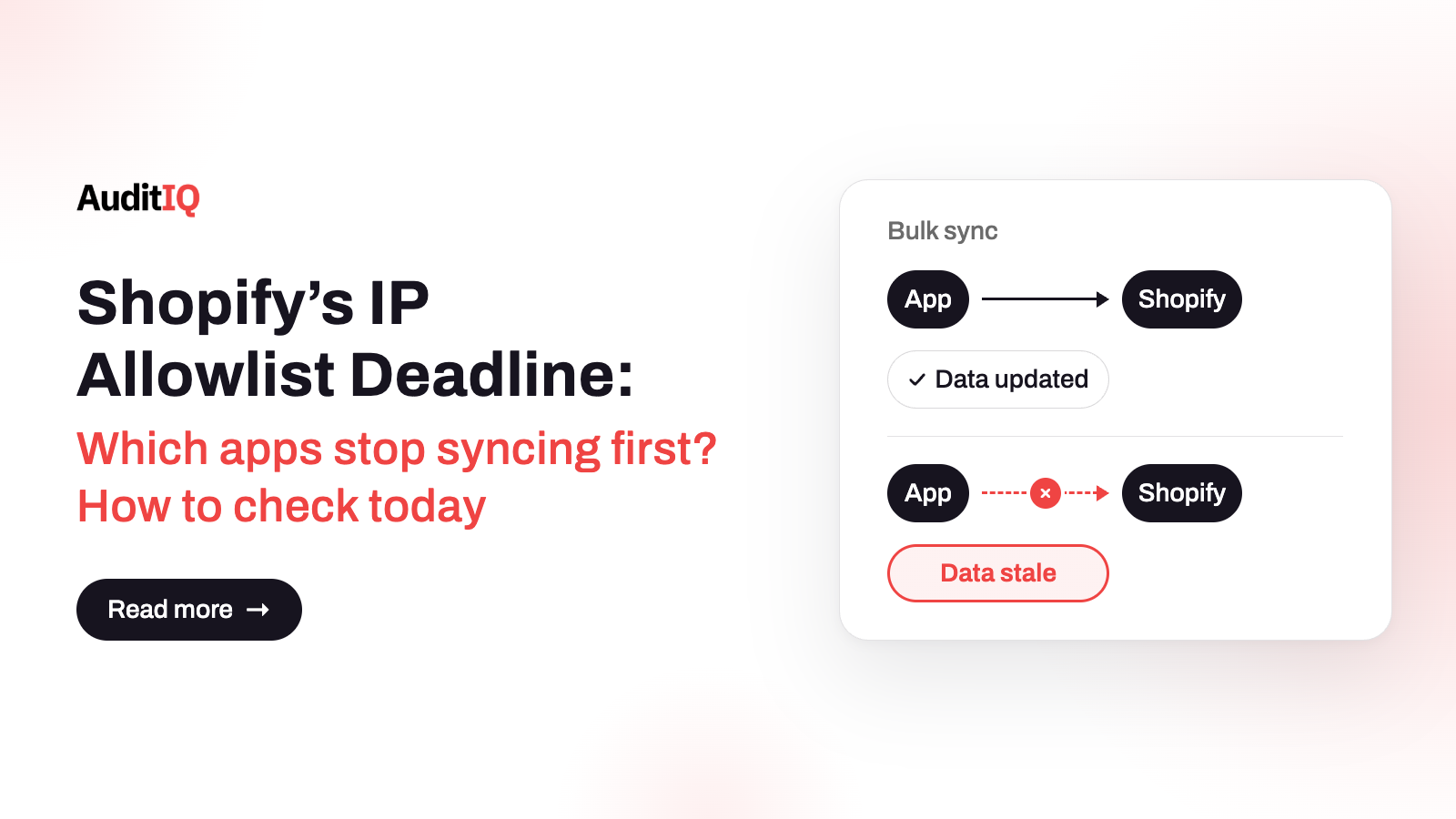
Shopify now requires every public app that calls the Admin API to set up an IP allowlist. Bulk queries and mutations from apps without one were blocked from 12 November, and from 20 November those apps are delisted and flagged in Settings > Apps. Installed apps keep working until 1 April 2027. Check which integrations use bulk operations, compare each sync’s last successful run with your baseline, and ask each developer for their compliance status.
On November 5, 2026, Shopify announced that the IP allowlist is now required for every public app that calls the Admin API. An IP allowlist means an app’s tokens only work from the addresses or networks its developer lists, so a leaked token cannot be used anywhere else. It is a sensible security step, but it lands in the busiest weeks of the year, and an app that missed it can lose part of its function while its dashboard still opens and its settings still save.
This guide explains what the requirement is and when each date applies, why a half-working integration is easy to miss, which integrations are most at risk, how to check your own apps, what to do if one is not compliant, and how this differs from two other Shopify changes, expiring tokens and the retirement of Script Tags. Merchants can use the tables to question their app vendors, and agencies can use the steps as a runbook.
What is the Shopify IP allowlist requirement, and when does it apply?
The requirement applies to public apps that call the Admin API. With the allowlist turned on, the app’s tokens work only from the addresses or networks it lists. Apps on serverless or dynamic hosting cannot list fixed addresses, so Shopify added support for allowlisting by network using ASN. Shopify’s enforcement dates, all at 11:59 PM ET where a time is given, are:
| What happens | Date | Applies to |
|---|---|---|
| Bulk queries and mutations are blocked | November 12, 2026 | Public apps without an IP allowlist |
| Delisted from the App Store, no new installs | November 20, 2026 | Public apps without an IP allowlist |
| Flagged in Settings > Apps | November 20, 2026 | Public apps without an IP allowlist |
| Merchants see a warning in their admin | January 15, 2027 | Apps that are still non-compliant |
| Admin API requests fail | April 1, 2027 | Apps that are still non-compliant |
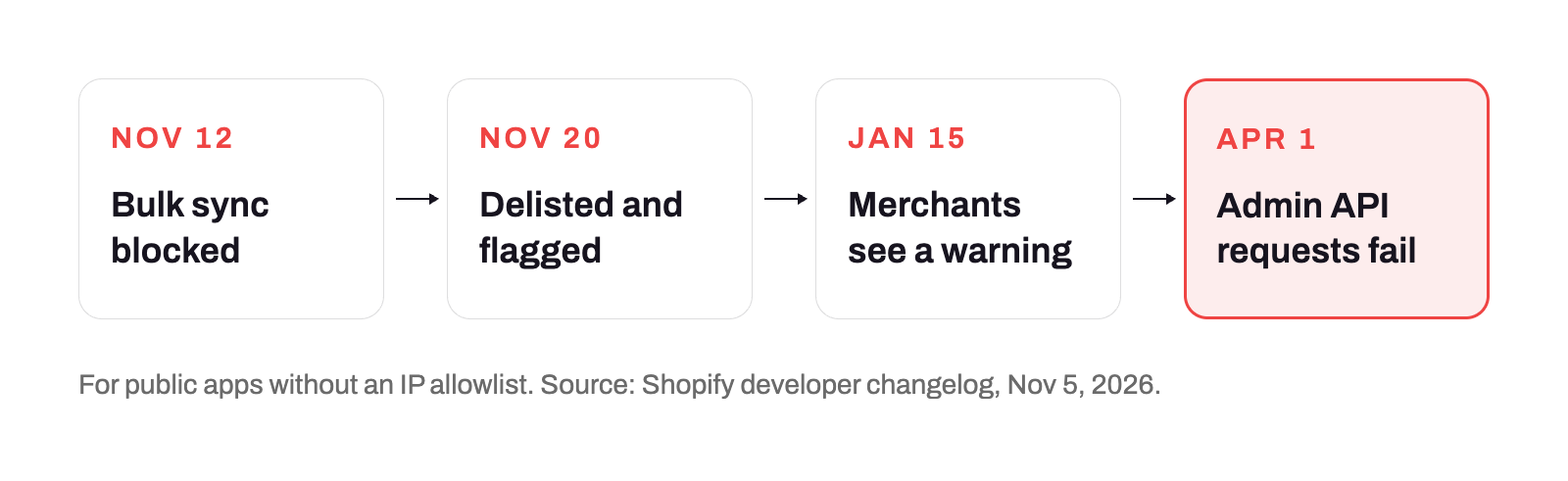
Shopify states that existing installs keep working until April 1, 2027. That is why the damage in the coming weeks is partial: delisting stops new installs, and the November 12 block hits bulk operations first.
Why can an installed app stop syncing without you noticing?
Bulk operations are how many apps move large amounts of data, for example a full catalogue export, an order history pull, or a batch inventory update. When an app without an allowlist runs one after November 12, Shopify blocks it. What you see depends entirely on how the app handles that: a clear sync error, stale data, or nothing at all.
The pattern to watch for is the half-working app. Its dashboard opens, its settings save, and its small, frequent requests may still work, while the large scheduled sync that keeps your inventory, feed, or ERP current quietly stops. A failure in one job that nobody is watching looks like normal quiet until a customer or a warehouse notices.
Which integrations are most at risk?
| Integration | Likely bulk-operation use | Impact if blocked | How to verify |
|---|---|---|---|
| ERP and accounting | Order export and reconciliation | Missing orders and reporting gaps | A test order reaches the accounting system |
| Inventory and warehouse | Bulk inventory updates | Overselling, stockouts, stale availability | Change a quantity and check it propagates |
| Product feeds and marketplaces | Bulk product export | Feeds stop refreshing, listings go stale | Check the feed’s last-updated time |
| Fulfilment and shipping | Order retrieval and routing | Delayed fulfilment | A test order reaches the fulfilment app |
| Loyalty and CRM | Customer and order sync | Missing customer or reward data | A test customer or order event appears |
| Reviews and UGC | Bulk import or moderation | Gaps in review data | Trigger a review sync |
This table shows where bulk operations are likely, not what any specific app does. Only the developer can say whether a given app uses them.
How do you check which of your apps are affected?
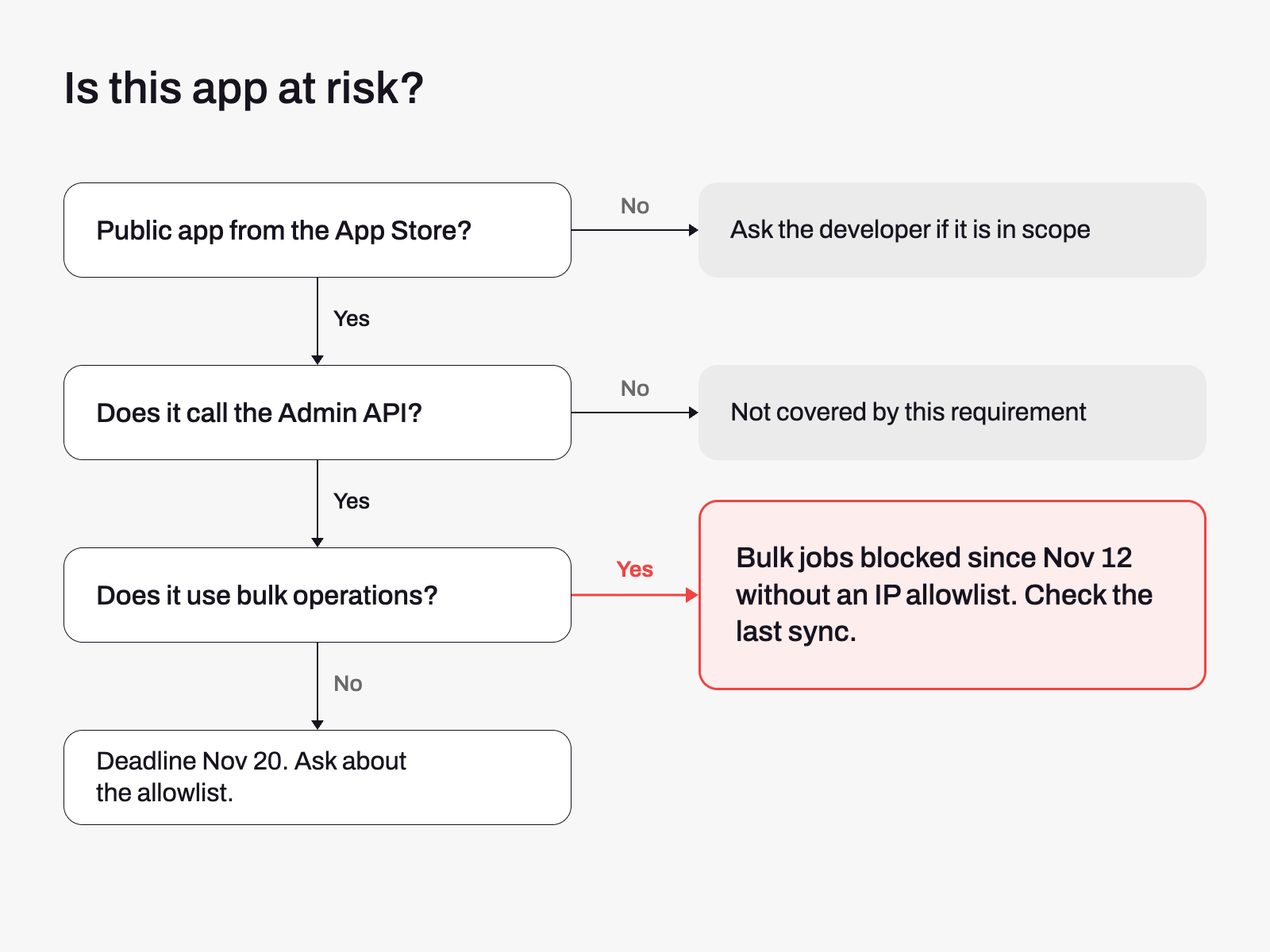
Start with this quick check for each app, then work through the steps below.
Step 1: List your business-critical integrations and their owners
Write down every app that moves data between Shopify and another system, and who in your team or agency owns each one. Include ERP, accounting, inventory, feeds, fulfilment, marketplaces, loyalty, and reviews.
Step 2: Open Settings > Apps now
Shopify says merchants can now see an app’s security setup in Settings > Apps, including its expiring tokens and IP allowlist, and that apps without an allowlist are flagged there after November 20. Look at each critical app today rather than waiting for the flag.
Step 3: Ask each developer four questions
- Does the app call the Admin API, and does it use bulk operations?
- Has the IP allowlist been enabled, and on what date?
- Has the app migrated to expiring offline access tokens?
- If you use a custom or private integration, is it in scope, and who maintains it?
Step 4: Compare each sync with its baseline since November 12
For each critical integration, find the time of its last successful sync and compare it with the frequency you expect. A sync that last ran before November 12 and is now overdue is your first lead.
Step 5: Test the data flows
- Place a test order and confirm it reaches fulfilment and accounting.
- Change a product price and a quantity, and confirm the change reaches your feeds, marketplaces, and inventory systems.
- Check that product feeds have refreshed since November 12.
How do you build a data-flow baseline?
An app dashboard that says “connected” is not evidence that data is moving. For every critical integration, record the last successful sync time, how often it should run, a sample order, inventory, and product change, and the system where that change should appear. Repeat the check on a schedule, and compare the actual result with the record instead of with your memory.
What should you do if an app is not compliant?
- Ask the developer for a written date by which the allowlist will be enabled.
- Export critical data from the app, such as orders, products, and customer lists, where it allows it.
- Identify a fallback integration for inventory, fulfilment, and order export, and check its compliance status before you rely on it.
- When evaluating replacements, prioritise apps that clearly document their IP allowlist status and security practices. Built for Shopify is a quality signal, but confirm each app’s compliance directly with its developer.
- Re-test after November 20, again before the January 15 merchant warning, and again before April 1, 2027, when Admin API requests from non-compliant apps fail.
IP allowlist, token expiry, or Script Tags: Which deadline affects what?
Three separate Shopify changes are arriving in the same months, and each fails differently. The IP allowlist and expiring offline access tokens both affect Admin API access, and both lead to failed requests on April 1, 2027. Script Tags affect what loads on the storefront instead.
| Change | Key date | What breaks first | Where you notice it |
|---|---|---|---|
| IP allowlist | November 12 and 20, 2026 | Bulk operations, then delisting | Stale or missing data in connected systems |
| Expiring offline access tokens | January 1, 2027 | Delisting, then failed Admin API requests on April 1 | Apps that stop syncing |
| Script Tags retirement | March 1, 2027 | Storefront scripts stop loading | Missing pixels, widgets, and chat on the storefront |
Treat them as separate failure modes with separate checks, because fixing one does not cover the others.
How do you verify everything still works after the deadlines?
- A test order reaches every connected system within your expected time.
- A quantity change in Shopify appears in every connected inventory system.
- Product feeds and marketplace listings have refreshed since November 12.
- Any app that runs large exports or batch updates completes its jobs and shows a recent successful sync.
- Repeat the checks after November 20, before January 15, and before April 1, 2027.
Catching the symptoms of a broken integration with AuditIQ
AuditIQ does not read your apps’ sync logs or call their APIs, so it cannot tell you that a specific integration stopped syncing. It watches the layers where the effects of a broken integration show up:
- Module Monitoring: keeps an inventory of the modules and extensions installed on your store and tracks updates, which gives you a current list of what to audit.
- Analytics: shows unsampled Google Analytics data, funnel analysis, and real-time traffic, so a change in orders or funnel completion stands out.
- Google Ads: tracks spend, conversions, CPA, and ROAS and alerts you when they deviate from normal, which can reveal a stale product feed behind your shopping campaigns.
Keep your own data-flow baseline and test orders alongside it, because monitoring shows that something moved, and your checks show which integration it was.
Beyond integrations, AuditIQ is a 360° eCommerce monitoring platform purpose-built for Magento, Adobe Commerce, and Shopify stores. It continuously monitors every critical layer of a store — performance, infrastructure, SEO, security, user experience, configuration, and code quality — from a single, unified dashboard, so quiet changes during peak season are noticed early.
Start monitoring your store for free today and see store and conversion shifts as they happen.
Others also read
- Shopify’s August 26 checkout deprecation: How to protect your post-purchase revenue flows
- Three platforms, three critical patches, one week: eCommerce’s patch velocity problem is now a revenue problem
- The 90% Problem: Why most eCommerce bugs never get reported, and what that costs you
Frequently asked questions
1. Will my installed apps stop working on November 20?
Not on that day. Delisting stops new installs, and the app is flagged in Settings > Apps, but Shopify says existing installs keep working until April 1, 2027. Bulk queries and mutations from apps without an IP allowlist were already blocked from November 12, and Admin API requests from non-compliant apps fail on April 1, 2027.
2. How do I know if an app uses bulk operations?
Apps that sync large catalogues, export order histories, or process inventory in batches may use them. Only the developer can confirm it, so ask directly.
3. What if my app developer doesn’t respond?
Start evaluating alternatives now. Prioritise apps that clearly document their IP allowlist status and security practices, and confirm compliance with the developer rather than assuming a certification proves it.
4. Are custom apps affected?
Shopify’s announcement applies the requirement to public apps that call the Admin API. Confirm the status of any custom or private integration with its developer or the platform documentation before assuming it is out of scope.
5. When will merchants see a warning?
Shopify says merchants see a warning in their admin from January 15, 2027, for apps that are still non-compliant. Apps without an IP allowlist are flagged in Settings > Apps from November 20.
6. The November 12 deadline has passed. What should I check first?
Find the last successful sync time for every critical integration, and compare it with the frequency you expect. Then check that product feeds, inventory, and order exports have refreshed since November 12, and ask the developer of any overdue integration about its IP allowlist.
About the author
Ginny Ngo writes from AuditIQ's experience monitoring eCommerce performance, SEO, security, and reliability issues across Magento, Shopify, WooCommerce, and Adobe Commerce stores.