Shopify checkout errors on mobile: Form validation is silently blocking your highest-value customers
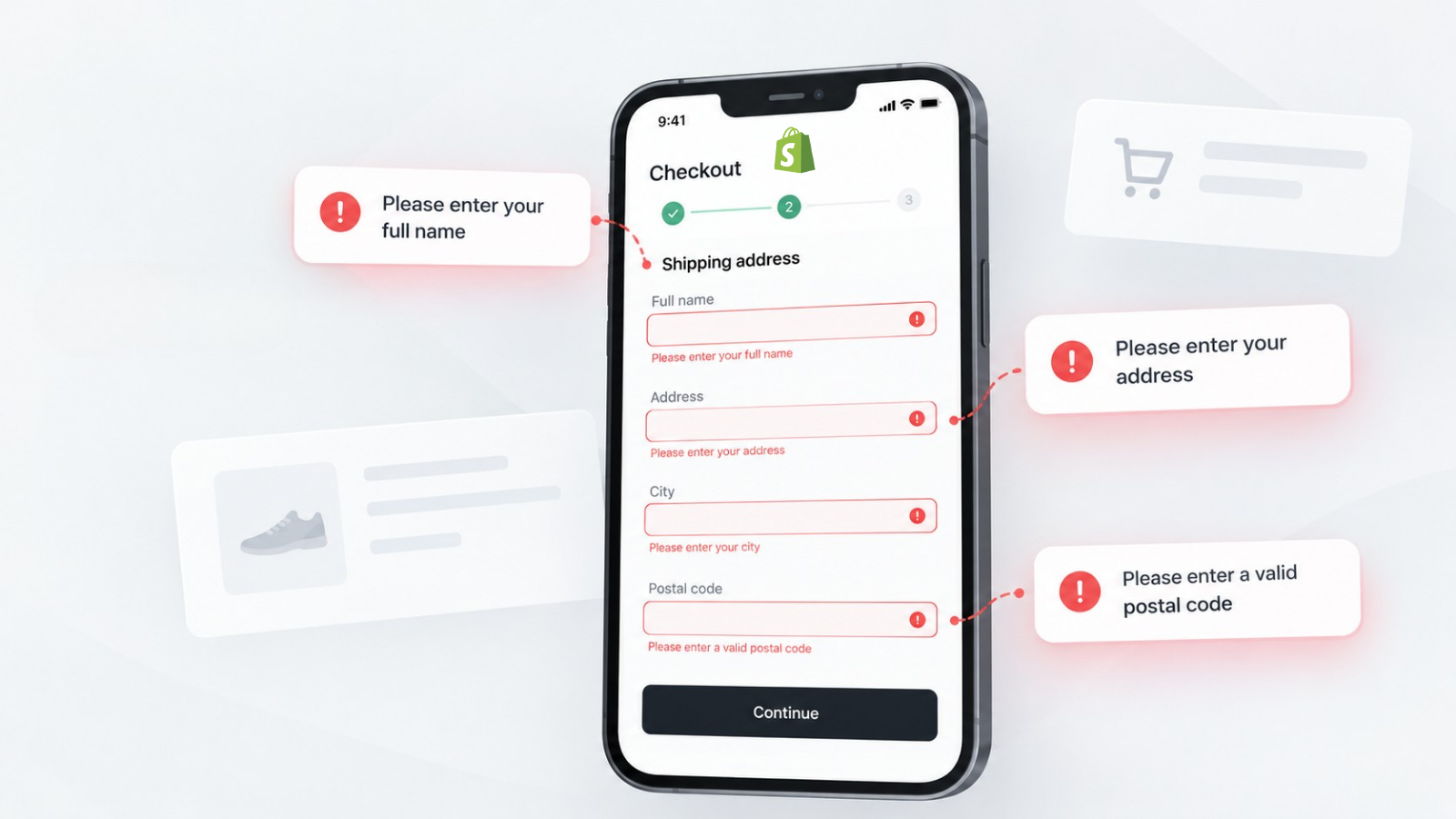
Shopify checkout errors on mobile usually come from browser autofill conflicts, address fields rejecting valid formats, or payment iframes failing to render on certain devices, issues that show no error in Shopify's admin or analytics. Fixing them means testing checkout across real devices, browsers, and address formats, then resolving the specific autofill, validation, or app conflict causing customers to abandon silently.
Shopify mobile checkout form validation errors silently block customers from completing purchases when the checkout rejects correctly entered addresses, conflicts with browser autofill, or renders payment fields incorrectly on specific devices. These failures generate no error in your Shopify admin, no alert in your analytics, and no support ticket; the customer simply leaves. To find and fix them, you need to test checkout across real device and browser combinations and monitor for the validation patterns that internal QA systematically misses.
Common symptoms of Shopify checkout errors on mobile
Merchants experiencing mobile checkout validation failures typically see one or more of these patterns:
- Revenue drops on mobile while traffic stays stable or grows. Desktop conversion holds steady, but mobile conversion quietly deteriorates.
- Customer complaints that “checkout won’t let me buy,” but when you test on your own device, everything works fine.
- Address fields rejecting valid entries. Customers in certain regions, using certain address formats, or relying on browser autofill see validation errors on addresses they know are correct. Address entry problems are a well-documented friction point in checkout abandonment research, and they’re one of the easiest failures for merchants to miss because the address genuinely is valid, the validator is simply too strict for that format.
- Payment fields not rendering. The credit card number, expiry, or CVV fields appear blank, are cut off, or don’t respond to taps on certain mobile browsers.
- Checkout form resetting after a validation error. In some checkout implementations, one failed field wipes the entire form and forces the customer to re-enter everything from scratch, a pattern that shows up repeatedly in merchant support threads even though it rarely surfaces in a standard QA script.
These error messages may appear as:
- “Enter a valid shipping address”
- “Please fill in this field”
- “Your payment could not be processed. Please try again or use a different payment method.”
- A spinning checkout button that never resolves
Why your store works fine on your phone but not your customers’
The fundamental problem is that checkout form validation failures are conditional. They depend on combinations of factors that internal QA environments rarely replicate:
- Device and browser specifics. A checkout that works perfectly on the latest iPhone running Safari may break on a Samsung Galaxy running Chrome because of how the browser handles autofill injection into Shopify’s checkout iframes. Shopify’s checkout is rendered inside a sandboxed environment, and different browsers interact with those iframes differently.
- Address format variations. Shopify’s address validation works well for standard US addresses, but customers entering apartment numbers with special characters, addresses in rural areas with non-standard formats, or international addresses with postal code formats the validator doesn’t expect will hit validation walls. Store-level address validation settings control how strict this check is, and the default configuration can reject a perfectly valid address because it doesn’t match the expected pattern.
- Autofill conflicts. Browser autofill is how the majority of mobile shoppers enter their checkout information. When Shopify’s checkout fields and the browser’s autofill system disagree about field names, formatting, or timing, the result is partially filled forms, incorrectly mapped fields (phone number in the address line), or validation errors on fields the customer never manually touched. Reviewing your checkout form options, particularly which fields are required and how the phone number field is configured, is a useful first check.
- Third-party app interference. Shopify checkout extensibility apps, discount engines, loyalty widgets, trust badges, and address verification services inject their own JavaScript and DOM modifications into the checkout. Some also register their own checkout validation functions that can block checkout entirely if they misfire. When these interfere with form field rendering or validation timing, the failure is intermittent and device-specific.
- Payment iframe rendering. Payment fields from Shopify Payments, Stripe, and other providers render inside separate iframes. On mobile browsers with aggressive memory management, these iframes can fail to load, render off-screen, or become unresponsive to touch events, particularly on older or mid-range Android devices.
In-app browsers and payment iframe failures
A large share of mobile traffic to Shopify stores doesn’t arrive through Safari or Chrome directly; it comes through the in-app browser embedded in Instagram, Facebook, or TikTok when a customer taps a link from an ad or a post. These embedded browsers are more restrictive than a full mobile browser: they can block third-party cookies, throttle memory more aggressively, and handle iframes differently from the device’s default browser. Because Shopify Payments, Stripe, and other providers render payment fields inside separate iframes, this combination is one of the most common reasons a customer reports a payment field that “won’t load” or “won’t accept my card” specifically when they arrived from a social ad.
Most likely causes of Shopify mobile checkout errors
Ordered roughly by how often each one turns out to be the culprit:
- Browser autofill conflict with checkout field mapping, the most common cause, affecting sessions where the browser pre-fills fields with incorrectly formatted data
- Address validation rejecting non-standard but valid address formats, particularly affecting customers outside major metropolitan areas and international shoppers
- Payment iframe rendering failure on specific mobile browsers, more common on Android devices and in-app browsers (Instagram, Facebook, TikTok)
- Checkout extensibility app JavaScript conflict, intermittent, tied to specific app combinations and their load timing
- Cached checkout state conflicts, customer returns to checkout after session expiration, form state is stale, but validation expects fresh data
How to diagnose Shopify mobile checkout errors
- Check your mobile conversion rate trend. In Shopify Analytics, compare your mobile and desktop conversion rates over the last 30, 60, and 90 days. Shopify’s own aggregate benchmark data puts average mobile conversion at around 1.2%, compared to roughly 1.9% on desktop, a gap of nearly 35%. If your gap is wider or growing, a mobile-specific checkout problem is likely contributing.
- Place test orders across real devices. Do not test only on your own phone. Test on at least three device and browser combinations: an iPhone with Safari, an Android with Chrome, and an in-app browser (open your store from an Instagram or Facebook link). Use browser autofill for each test. Try addresses with apartment numbers, special characters, and non-US formats.
- Inspect checkout events in Customer Events. Go to Settings → Customer Events in your Shopify admin. Check for any error indicators on your checkout-related pixels. If pixels show errors or warnings, the checkout page itself may have JavaScript conflicts affecting form rendering.
- Test with checkout extensibility apps disabled. If you’ve installed apps that modify checkout, discount code apps, trust badge apps, or address verification, temporarily disable them one at a time and test mobile checkout. An app that loads JavaScript in the checkout can conflict with form validation on specific devices.
- Review customer contact messages. Search your support inbox for phrases like “can’t check out,” “won’t let me buy,” “error at checkout,” and “payment not working.” These reports are your most direct signal that real customers are encountering failures your testing missed.
How to fix Shopify mobile checkout errors
1. For autofill conflicts: Ensure your checkout fields use standard HTML autocomplete attributes. Shopify’s native checkout handles this well, but checkout extensibility apps that add custom fields may not set the correct autocomplete values. Review any custom checkout UI extensions you’ve installed.
2. For address validation rejection: If customers in specific regions consistently report address errors, review your store’s address format validation rules under Checkout Blocks, and consider whether a third-party address verification app is being overly strict. Relaxing validation from “exact match” to “suggestion-based” captures more valid addresses.
3. For payment iframe failures: Ensure no app or theme code is interfering with the payment section of checkout. CSP (Content Security Policy) headers that block third-party iframe sources can prevent payment fields from loading. Check your browser console on a mobile device for blocked frame errors.
4. For form reset after validation errors: This is typically caused by checkout extensibility apps that re-render the checkout section on validation events. Identify which app triggers the re-render and contact the developer for a fix.
How to verify the fix worked
After implementing fixes:
- Place test orders on at least five different device and browser combinations, including in-app browsers
- Use browser autofill for every test; do not manually type
- Try at least one address with an apartment number, one international address, and one with special characters
- Monitor mobile conversion rate daily for 7 days after the change
- Compare abandoned checkout rate by device type before and after the fix
Preventing mobile checkout errors with continuous monitoring
The challenge with mobile checkout validation failures is that they emerge silently: a browser update changes autofill behaviour, a checkout app pushes a new version, or Shopify itself changes how checkout renders. No single test catches these shifts, and, as the symptoms above show, the drop rarely shows up as an error anywhere in your admin.
This is exactly the gap AuditIQ’s User Experience Monitoring is built to close. It tracks frustration signals like rage clicks and dead clicks, monitors drop-off at every step of your checkout flow, and flags the specific form fields with high abandonment or repeated re-entry, the direct signature of an autofill or validation conflict. Every finding is enriched with device, browser, and session context, so a spike in mobile checkout friction is immediately traceable to, for example, Android Chrome, an in-app browser, or a specific address format, rather than surfacing weeks later as a slow bleed in your conversion rate.
Beyond user experience, AuditIQ is a 360° eCommerce monitoring platform purpose-built for Magento, Adobe Commerce, and Shopify stores. It continuously monitors every critical layer of a store, performance, infrastructure, SEO, security, user experience, configuration, and code quality, from a single, unified dashboard, so a silent mobile checkout failure is just one of the many issues it’s watching for around the clock.
Start monitoring your mobile checkout today to close the gap between when a validation failure starts costing you sales and when you actually find out.
Others also read
- Ecommerce site is slow on mobile but fast on desktop: What it’s costing you in conversions?
- Shopify’s cart bug fix reveals a bigger truth: Silent checkout errors are costing you sales
- The 35% checkout UX gap: How real-time monitoring completes the picture
Frequently asked questions
1. Why does Shopify checkout work on my phone but not my customer’s?
Checkout behaviour depends on the specific combination of device, browser version, autofill data, installed apps, and network conditions. Your phone represents one configuration out of hundreds your customers use.
2. Can Shopify checkout extensibility apps break form validation?
Yes. Any app that injects JavaScript into the checkout can interfere with form rendering, validation timing, and autofill mapping. Test checkout with apps disabled to isolate the cause.
3. How do I know if address validation is rejecting valid addresses?
Check your abandoned checkout rate by shipping country and region. A spike in a specific geography often indicates address validation is rejecting the local address format.
4. What’s the revenue impact of mobile checkout validation failures?
Mobile cart abandonment is consistently higher than desktop, often exceeding 80% across multiple industry benchmarks. Even a small improvement in mobile checkout completion represents significant revenue recovery for most Shopify stores, given that mobile accounts for the majority of traffic. Validation failures are among the most fixable causes of the mobile conversion gap.
About the author
Dan Garner writes from AuditIQ's experience monitoring eCommerce performance, SEO, security, and reliability issues across Magento, Shopify, WooCommerce, and Adobe Commerce stores.