PHP2Shell (CVE-2026-109618 and CVE-2026-109619): Is your eCommerce store patched before Black Friday?
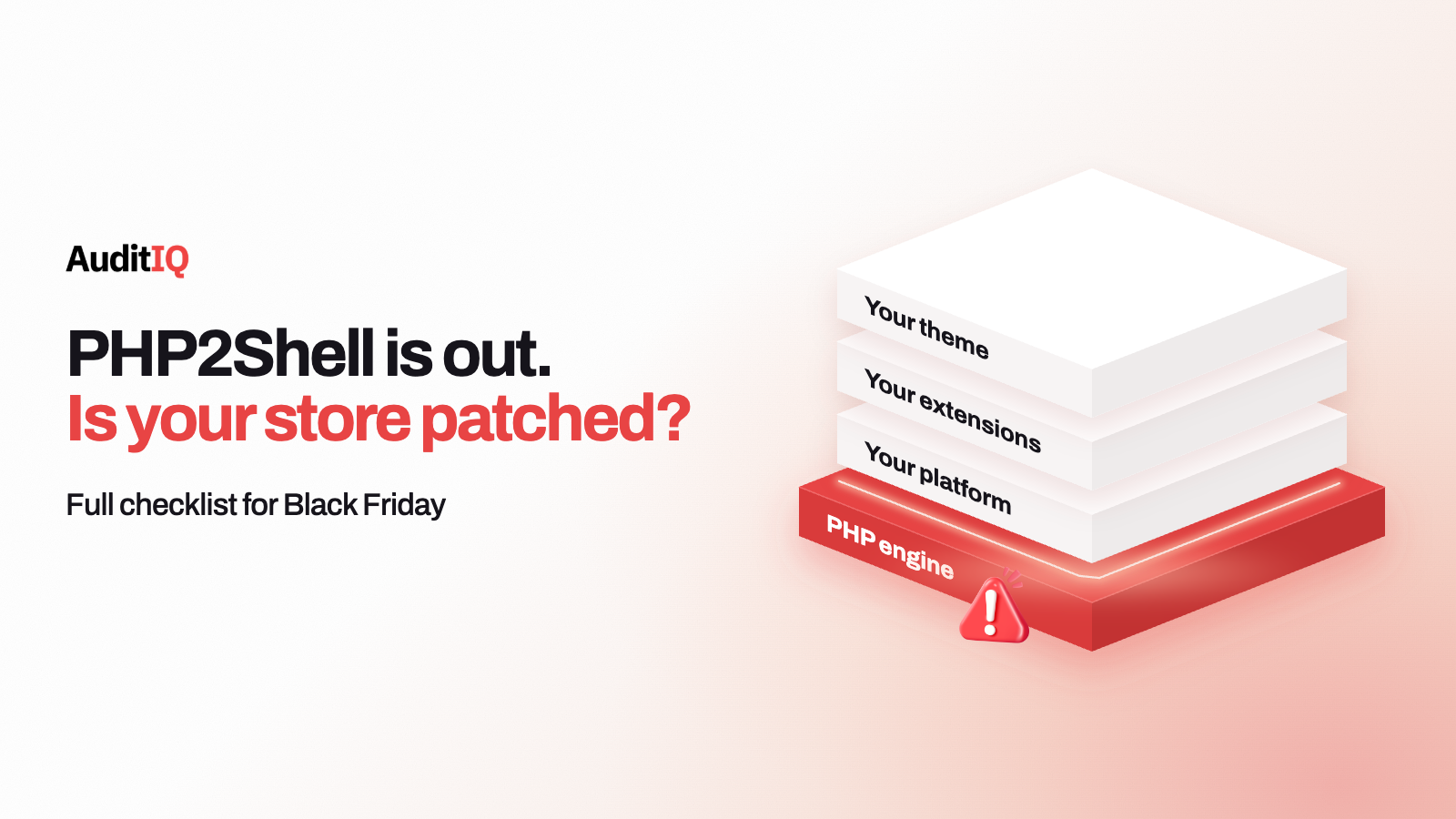
PHP2Shell is two critical PHP flaws, CVE-2026-109618 and CVE-2026-109619, that can let an unauthenticated attacker run code on a server. Any PHP-based store, including Magento, Adobe Commerce, and WooCommerce, is exposed until PHP is updated to 8.5.12, 8.4.27, 8.3.36, or 8.2.35, or to a vendor build with the fix, and the web-serving PHP process is restarted. Verify the running version, patch, restart, and check for compromise from before the patch.
On October 21, 2026, the PHP project released fixes for two critical vulnerabilities that can allow unauthenticated remote code execution, both rated CVSS v4.0 9.2 and nicknamed PHP2Shell. The flaws are in the PHP engine itself, so a store can run clean code, current extensions, and an up-to-date platform and still be exposed through the PHP version underneath it. PHP’s own advice is blunt: there are no complete mitigations, and updating is the only safe choice.
This guide explains what PHP2Shell is, which platforms and PHP versions are affected, how to check what is actually serving your store, how to patch without turning a security fix into a checkout outage, and how to look for signs of compromise from before the patch. It is written for the weeks before Black Friday on 27 November and Cyber Monday on 30 November, when a rushed patch or an unnoticed intrusion costs the most.
What is PHP2Shell?
PHP2Shell is the name given to two memory-safety vulnerabilities in the PHP runtime. The PHP project describes them as follows:
| CVE | Class | What PHP says happens |
|---|---|---|
| CVE-2026-109618 | RCE via out-of-memory corruption | Out-of-memory handling can interrupt PHP while internal request data is only partially initialised, and request cleanup may then treat the invalid data as valid |
| CVE-2026-109619 | RCE via stale global state | Request-owned internal state can survive after its backing memory has been freed, and a later request handled by the same worker may use that stale state before normal initialisation resets it |
Who is at risk, according to PHP: all PHP installations serving web requests, including PHP-FPM, Apache with mod_php, php-cgi, FrankenPHP, and LiteSpeed. The risk is highest for mod_php, where PHP reports a demonstrated exploit in which an unauthenticated request can trigger the attack before any application code runs. That is why patching the application or its plugins cannot fix this: the weak point sits below them.
Is my eCommerce platform affected?
Exposure depends on the PHP runtime that serves your store, not on the platform brand. Use this table as a starting point and confirm the real version with the steps further down:
| Platform or hosting | Exposure to PHP2Shell | What to do |
|---|---|---|
| Magento or Adobe Commerce, self-hosted | Yes, if the server’s PHP is a vulnerable version. No Magento patch changes this | Verify the web-serving PHP version, update PHP, and restart the web-serving process |
| Adobe Commerce on managed cloud hosting | Depends on the PHP runtime the platform runs and when it is updated | Ask Adobe or your host which PHP build is deployed and whether it includes the fix |
| WooCommerce or WordPress, self-hosted | Yes, if the server’s PHP is a vulnerable version | Check the version in Site Health, then update PHP at the server or hosting level |
| Other PHP platforms (Shopware, PrestaShop, OpenCart) | Yes, for the same reason: the fault is in PHP | Treat the PHP runtime as the thing to patch |
| Shopify-hosted storefront | Not through your own PHP server, since the store does not run on one you manage | Audit any PHP services you run yourself and connect to the store, such as middleware, legacy integrations, and staging |
| Headless, custom, or staging servers running PHP | Yes, if running a vulnerable PHP version | Patch every PHP runtime, not only the storefront |
Sansec makes the same point for Magento, Shopware, and WooCommerce: the stores are affected even when their own code is clean. Adobe’s separate October security update does not change that, which the related-advisories section below explains.
Which PHP versions are patched?
| PHP branch | Fixed version | Notes |
|---|---|---|
| PHP 8.5 | 8.5.12 |
Released October 21, 2026 |
| PHP 8.4 | 8.4.27 |
Released October 21, 2026 |
| PHP 8.3 | 8.3.36 |
Released October 21, 2026 |
| PHP 8.2 | 8.2.35 |
Reaches end of life on December 31, 2026, so plan the next upgrade now |
| PHP 8.1 and older | No standard upstream release | No longer updated by the PHP project. Some distributions and LTS vendors provide backported fixes, and the PHP security team published minimal source backports for PHP 7.4, 8.0, and 8.1 for people who build from source |
Within each supported branch, update to at least the version above, because earlier builds in that branch remain affected. Linux distributions and LTS vendors received the patches in advance, so check your vendor for updated packages. On Windows, PHP later released rebuilt packages with a -1 suffix (for example 8.5.12-1) that add a separate Brotli security fix, and you should install those rather than the first builds.
How do you check which PHP version is really serving your store?
Step 1: Check the web-serving version, not only the command line
php -v over SSH shows the command-line PHP, which can differ from the PHP that handles web requests. Check the version used by your web server or PHP-FPM pool, for example with php-fpm -v or your hosting control panel. On WordPress and WooCommerce, Tools, Site Health, Info, Server shows the version WordPress is running. If your hosting provider manages PHP, ask which version and which build serves your store.
Step 2: Compare it with the fixed versions
If you run an official PHP build below 8.2.35, 8.3.36, 8.4.27, or 8.5.12 on its branch, you need to update. If your distribution or host ships its own build and keeps the base version number, ask them to confirm the fix is included, or look for CVE-2026-109618 and CVE-2026-109619 in the package changelog or the vendor’s security notes.
Step 3: Ask your host two specific questions
Whether its PHP packages include the PHP2Shell fixes, and whether it has restarted the web-serving PHP processes since updating. Distribution and LTS vendors received patches in advance, but deployment timing varies by provider, so do not assume your host has acted.
Step 4: If you run end-of-life PHP, plan the upgrade
PHP 8.1 and older no longer receive standard updates from the PHP project. Ask your vendor for a backported build, or upgrade to a supported branch. A branch upgrade is a larger project that needs extension and theme compatibility testing, so start it now rather than the week of the sale.
How do you patch safely before holiday traffic?
PHP says to update immediately, so the question is how to do that without a checkout incident. A sensible order:
- Back up the filesystem and database, and confirm that you can restore them.
- Patch staging first, with the same PHP version, extensions, and PHP-FPM configuration as production.
- Test payment, shipping, tax, search, and checkout extensions against the new version.
- Deploy in a low-traffic window, and avoid peak promotional hours.
- Restart the web-serving process. Google Cloud’s response guidance warns that upgrading packages on disk leaves vulnerable binaries resident in running workers, so explicitly restart
php8.x-fpm, apache2 or httpd, FrankenPHP, or LiteSpeed. - Confirm the active version on production, and run an end-to-end test purchase, including payment authorisation and the order confirmation.
- Watch error rates, checkout completion, 404 and 500 responses, and server resources for 48 hours, and keep a documented rollback path in case an extension or integration fails.
One exception to the usual order: if a server shows signs of active probing, Google Cloud advises capturing worker memory before patching or rebooting, because restarting workers permanently destroys volatile evidence. If you suspect intrusion, involve your security team or an incident-response provider first.
What can you do if you cannot patch today?
PHP lists measures that reduce exposure to specific attack paths while you prepare the update. It states clearly that they do not make an installation safe, so treat them as a short-term bridge, not a fix:
| For | Measure | Limits |
|---|---|---|
| CVE-2026-109618 | memory_limit=-1, set where applications cannot override it, such as php_admin_value in the FPM pool or Apache configuration |
Removes the controllable memory-limit failure, but an underlying allocation failure can still reach the vulnerable path |
| CVE-2026-109618 | A low post_max_size: 8M if you do not need uploads, 32M if you do, with upload_max_filesize below it, and request-size limits at the web server or proxy |
Reduces exposure only. Do not use RLIMIT_AS or RLIMIT_DATA, which can cause the vulnerable allocation failure |
| CVE-2026-109619 | session.upload_progress.enabled=0 in php.ini, the FPM pool, or server configuration, then restart every worker |
Blocks the confirmed session paths, not other variants. Do not rely on ini_set() or .user.ini |
| CVE-2026-109619 | On PHP 8.5, fatal_error_backtraces=0 and a worker restart |
Blocks the confirmed fatal-backtrace path only |
| CVE-2026-109619 | Fix attacker-reachable fatal errors and execution timeouts, including failures in callbacks, upload or import processing, and cleanup | Hiding diagnostics with error_reporting, display_errors, or @ does not help |
What can a WAF do, and what can it not do?
A web application firewall can add a layer of protection by blocking known exploit patterns, and it is worth enabling while you patch. It does not fix the engine: the vulnerable code stays in your PHP until you update it. WAF activity is also not proof of compromise or of safety. A blocked request shows that someone probed you, and a quiet WAF does not show that nothing got through, so treat rules as temporary mitigation and keep the patch on the schedule.
How likely is exploitation of PHP2Shell on an eCommerce store?
On release day, Sansec expected mass exploitation. Its October 22 update says that is now less likely, because an attack needs specific knowledge of the target server and specific conditions on it, and public proof-of-concept exploits do not work against a default PHP installation. Other security vendors have reported exploitation attempts, and reports differ on how many have succeeded.
That is not a reason to wait. A lower chance of mass attacks still leaves targeted ones, and a store with a busy holiday calendar is a valuable target. Treat an unpatched, internet-facing PHP server as exposed rather than waiting for confirmation that someone has used the flaw against stores like yours.
How do you check for compromise from before the patch?
Patching closes the door but does not remove anything an attacker left behind. A webshell or backdoor can persist after PHP is updated, so look for signs from before the patch. Treat each of the following as a lead to investigate, not proof:
- Unfamiliar PHP files in upload, temp, or other web-accessible directories
- Recently modified PHP files. A command such as
find /path/to/webroot -mtime -7 -name "*.php"lists files changed in the last week. Expect false positives: compare the results with your deployments, Composer or vendor updates, and known-good checksums before deleting or restoring anything - Changes to core platform files you did not deploy, checked against the checksums available from Magento, WordPress, WooCommerce, or your platform’s security tools
- New or altered scheduled tasks, web server rules, and authorised SSH keys, since persistence is not limited to PHP files
- Unexpected outbound connections, and unfamiliar child processes such as a shell or a download tool started by a PHP worker or the web server
- Log entries showing unusual PHP behaviour, such as repeated memory-exhaustion errors during request setup or crashing PHP-FPM workers
- Unusual POST requests to PHP files in unexpected locations in your access logs
If something looks wrong, preserve evidence before cleaning up, rotate credentials that were accessible from the server, and bring in your security team or an incident-response provider.
Which other recent advisories should you keep in view?
PHP2Shell is not the only item on a PHP-based store’s patch list this month:
- Adobe Commerce and Magento: APSB26-153 was released on October 13 as a priority 2 update. Adobe asks merchants to apply it together with the separate hotfix for CVE-2026-75650 from its September bulletin. It is an application-level update and does not replace patching PHP.
- CVE-2026-115560 (PHP, October 23): PHP issued an informational advisory about an unlikely RCE vector in session upload progress that needs an unusual combination of configuration and application code. PHP suggests setting
session.upload_progress.enabled=0until the next regular release, which will carry a full advisory. If you applied it for CVE-2026-109619, keep it in place. - Windows builds (October 26): PHP rebuilt its Windows packages with a Brotli fix for an out-of-bounds write in decompression, reachable through the cURL extension when automatic response decompression is turned on. It is off by default in cURL, but applications and HTTP client libraries can enable it.
How do you verify the patch is complete?
- Confirm the running version. Check the web-serving PHP version, not only the installed package, and confirm the worker processes were restarted after the update.
- Test checkout end to end. Complete a test purchase to confirm payment processing and order confirmation still work.
- Check extensions and plugins. Some may behave differently on a newer PHP version, so review your application logs for new errors.
- Watch the server for 48 hours. Look for unusual processes, file changes, and resource use that might point to compromise from before the patch.
Watching the server and storefront around a PHP incident with AuditIQ
A PHP patch is a server task, but the damage from a missed one shows up in your store. AuditIQ covers four of the signals around it:
- Server Monitoring: a server agent that reports CPU and disk every 5 minutes and runs PHP version monitoring, with end-of-life alerts and version consistency checks across server nodes. It flags end-of-life PHP and mismatched nodes. It does not say it checks for a specific patch level such as 8.4.27, so confirm that yourself.
- File Integrity: logs every server-side file modification, creation, and deletion as it happens, with path and timestamp, plus hash-based verification and alerts by portal, email, and Slack. A new PHP file that appears on your server shows up in the log, and you compare it against your deployments to decide whether it belongs.
- Malware Detection: scans your frontend code and server files for known malware signatures, suspicious code patterns, and obfuscated scripts, with immediate alerts.
- Log Monitoring: surfaces PHP errors and exceptions as they happen, including spikes you would want to look at, such as repeated memory-exhaustion errors.
AuditIQ does not patch PHP, restart your workers, capture memory forensics, or replace incident response, and a quiet dashboard is not proof that nothing happened before you patched. Use the monitoring to catch what changes, and keep the version check, the restart, and the compromise check from this guide in your routine.
Beyond PHP, AuditIQ is a 360° eCommerce monitoring platform purpose-built for Magento, Adobe Commerce, and Shopify stores. It continuously monitors every critical layer of a store — performance, infrastructure, SEO, security, user experience, configuration, and code quality — from a single, unified dashboard, so a server-level incident does not quietly turn into lost holiday revenue.
Start monitoring your store for free today so server changes and storefront failures are caught before your customers meet them.
Others also read
- WooCommerce store hacked through a plugin: Guide to detect webshells before they steal customer data
- StyleSmuggler is actively backdooring Magento stores: Guide to detecting if your store is already compromised
- AI can now exploit your eCommerce vulnerabilities in 15 minutes: Your patch window has collapsed
Frequently asked questions
1. Is my Shopify store affected by PHP2Shell?
A store hosted entirely on Shopify’s infrastructure is not exposed through a PHP server that you run. Check any PHP services you operate yourself and connect to the store, such as legacy integrations, middleware, staging servers, and headless components, because each of those is exposed if it runs a vulnerable PHP version.
2. Is my WooCommerce store affected?
Yes, if the server runs a vulnerable PHP version. WooCommerce runs on WordPress, which runs on PHP, so check the version in Tools, Site Health, Info, Server, then ask your host about the build that serves web requests.
3. My host says it has patched. Do I need to do anything else?
Yes. Ask whether the web-serving PHP processes were restarted after the update, test your checkout, and check for signs of compromise from before the patch. Updating does not remove a webshell that was already planted.
4. What if I run PHP 7.4 or 8.1?
The PHP project no longer issues standard updates for those versions. Some distributions and LTS vendors provide backported fixes, so ask your vendor whether your exact build includes the PHP2Shell fix. The PHP security team also published minimal source backports for PHP 7.4, 8.0, and 8.1 for people who build from source. Otherwise, upgrade to a supported branch and apply the latest patch.
5. Can a WAF protect my store while I patch?
It can reduce exposure by blocking known exploit patterns, but it does not fix the underlying flaw. PHP states there are no complete mitigations and that updating is the only safe choice, so use a WAF as a temporary layer.
6. Do I need to restart anything after updating PHP?
Yes. Restart the web-serving process, such as PHP-FPM, Apache, FrankenPHP, or LiteSpeed. An updated package on disk does not protect requests still handled by an old worker that is already running in memory.
7. Is it safe to patch right before Black Friday?
PHP urges everyone to update immediately, so waiting carries its own risk. Reduce the chance of a checkout problem with a backup, a staging test, extension compatibility checks, a low-traffic deployment window, a test purchase, and a rollback plan.
8. Is PHP2Shell being exploited?
Sansec expected mass exploitation on release day and has since said it is less likely, because an attack needs specific knowledge of the target server and specific conditions. Other vendors have reported exploitation attempts. Treat an unpatched server as exposed and patch without waiting for a confirmed case.
About the author
Ginny Ngo writes from AuditIQ's experience monitoring eCommerce performance, SEO, security, and reliability issues across Magento, Shopify, WooCommerce, and Adobe Commerce stores.