Google AI Max is sending your paid traffic to the wrong pages: Guide to finding and fixing broken landing pages before September
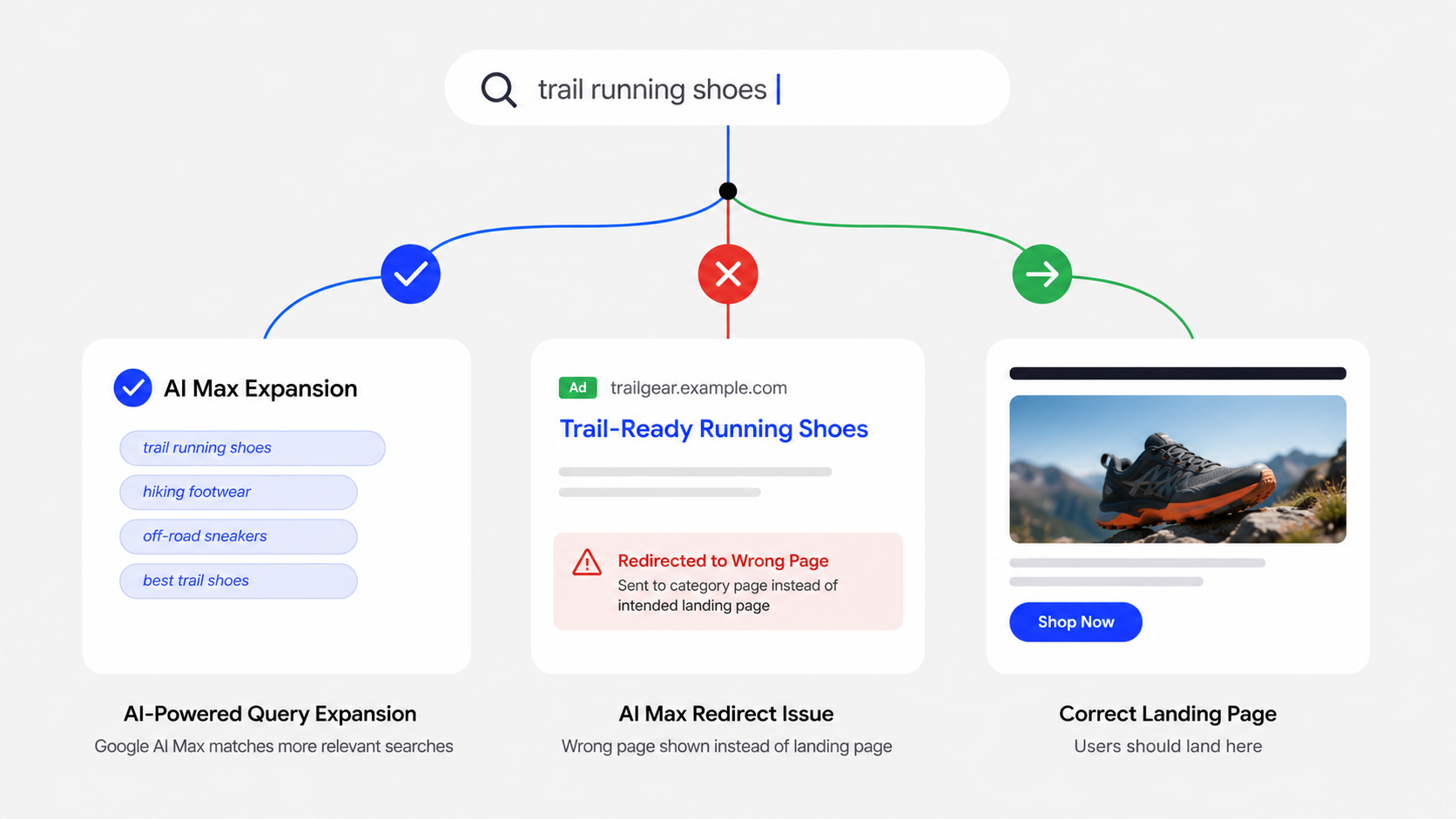
Google's AI Max Final URL Expansion can send your paid traffic to the wrong pages. The feature crawls your site and automatically selects what it considers the most relevant landing page for each query, which often includes blog posts, out-of-stock products, or pages missing conversion tags. To solve this, audit your Landing Pages report, set URL exclusions for non-transactional pages, fix tracking templates with proper {lpurl} patterns, and use continuous monitoring so broken pages are caught before they waste budget.
Google's AI Max Final URL Expansion automatically redirects paid search traffic to pages Google's algorithm selects, often blog posts, out-of-stock product pages, or 404 URLs that your ads were never designed to target. When this happens, conversion tracking breaks because the expanded pages lack the correct tags, and ad spend is wasted on visitors who land somewhere irrelevant. With Google auto-upgrading eligible Search campaigns to AI Max starting September 1, 2026, fixing this now is urgent.
What does the problem look like?
If AI Max's Final URL Expansion is active on your eCommerce campaigns, you may see these symptoms:
- Conversion rates dropping while click volume stays the same or increases
- Google Ads reports showing unfamiliar landing page URLs, blog posts, FAQ pages, category pages, or discontinued product pages appearing in the landing page report
- GA4 session data not matching Google Ads clicks because expanded URLs lack your standard UTM parameters or conversion tags
- Revenue declining on campaigns that previously performed well, with no change to bids, budgets, or targeting
- "Page not found" or 404 errors appearing in your landing page reports when AI Max selects URLs that have been removed or redirected
Likely error or warning variants:
- "Final URL expansion selected a different landing page" in Google Ads diagnostics
- Landing page report showing URLs you never set as final URLs
- Tracking template errors when
{lpurl}conflicts with AI Max's dynamic URL selection - GA4 showing sessions from Google Ads with no matching conversion events
Why AI Max sends traffic to the wrong pages
AI Max's Final URL Expansion works by crawling your website and selecting what Google's algorithm considers the most relevant landing page for each search query, regardless of the final URL you set in your ad group. For eCommerce stores, this creates several predictable failure modes:
1. Google crawls and selects non-transactional pages. If your site has blog content, help articles, or informational pages, AI Max may route high-intent shopping queries to these pages instead of product or category pages. Shoppers searching for "buy [product]" land on a blog post about that product.
2. Discontinued or out-of-stock product pages get selected. AI Max does not check your inventory status. If Google has crawled and indexed a product page that is now out of stock, it may still send paid traffic there.
3. Tracking templates break with dynamic URLs. Many eCommerce stores use static tracking templates that include {lpurl} as a macro. When AI Max swaps the final URL, the tracking template may not resolve correctly, causing the destination URL to break or lose tracking parameters. Google's own documentation warns that "static tracking URLs may not function correctly with dynamic landing pages from the AI Max FUE."
4. Duplicate pages or URL variants get picked up. If your product catalogue generates multiple URL variants for the same product (filtered views, parameterised URLs, AMP pages), AI Max may select a variant that lacks conversion tracking or structured data.
5. The September 1, 2026 auto-upgrade amplifies the risk. Google will auto-upgrade campaigns using automatically created assets (ACA) and campaign-level broad match to AI Max starting September 1, 2026. Many eCommerce advertisers running these features will have Final URL Expansion activated without explicitly opting in.
Note: Final URL Expansion requires text customisation to be turned on. Turning off text customisation also disables Final URL Expansion. When Final URL Expansion is active, pinned Responsive Search Ad assets are not respected.
What Google announced on August 20, 2026
Google released new AI Max testing and planning tools, including cross-campaign A/B tests for budget and ROI targets, plus the ability to run AI Max experiments with brand and location controls enabled. While these tools help advertisers measure the impact of AI Max, they do not solve the underlying landing page integrity problem; they help you test after AI Max is active, but they don't prevent broken landing pages from being selected in the first place.
Immediate containment steps
Step 1: Audit your current landing page report. In Google Ads, navigate to Insights and Reports → Landing Pages. Filter by campaigns where AI Max or Final URL Expansion is active. Identify every URL that was not your intended final URL. Look for the "Selected by" column that shows AI Max selections.
Step 2: Check expanded URLs for conversion tracking. For each expanded URL, verify that your Google Ads conversion tag, GA4 tags, and any pixel code are present and firing. A page that lacks your standard conversion snippet will generate clicks with no conversion attribution.
Step 3: Create a page feed exclusion list. Use AI Max's page feed and URL exclusion rules to block non-transactional pages, out-of-stock products, and irrelevant content. Exclude blog directories, help centre pages, and any URL path that is not a product, category, or landing page.
Step 4: Fix your tracking template. Replace static tracking URLs with dynamic-compatible templates. Google recommends using {lpurl} with properly configured parameter appending rather than hard-coded destination URLs.
Step 5: Test during the ongoing upgrade window. If your campaigns use ACA or campaign-level broad match, they are being auto-upgraded to AI Max in September. Use Google's new A/B experiment tools (now supporting brand and location controls) to test AI Max on a single campaign first. Monitor landing page distribution, conversion rates, and revenue for at least two weeks.
How to verify recovery
After implementing fixes:
- Compare landing page URLs in Google Ads reports against your intended final URLs daily for the first week
- Verify that GA4 conversion events match Google Ads click data for expanded landing pages; a persistent gap means tracking is still broken on some URLs
- Check that no 404 or redirect pages appear in the landing page report
- Monitor ROAS and conversion rate at the campaign level; recovery should be visible within 7–14 days of fixing landing page and tracking issues
Prevention and continuous monitoring
The core problem with AI Max's Final URL Expansion is that it creates a dynamic relationship between your ad spend and your storefront. Every time you add, remove, or modify a page on your eCommerce site, you change the pool of URLs that AI Max can select. This means:
- New product page deployments need to be verified for conversion tag presence before AI Max can route traffic to them
- Discontinued product pages need to be deindexed or excluded, not just hidden from navigation
- Blog content and informational pages need explicit exclusion rules unless they are part of your conversion funnel
- Site-wide changes (theme updates, platform migrations, CMS deployments) can introduce new pages or break tracking on existing pages that AI Max is actively using
Because every storefront change expands or alters the pool of pages Final URL Expansion can choose, continuous monitoring is the only practical way to stay ahead of broken or low-converting destinations.
AuditIQ SEO Audit is designed to continuously monitor conversion tag integrity, landing page errors (including 404s), structured data consistency, and tracking parameter accuracy across your entire catalogue. These are the exact signals that determine whether AI Max routes budget to high-converting product and category pages or wastes it on broken, out-of-stock, or irrelevant ones. When a tag disappears or a page breaks, you are alerted before the next paid click lands there.
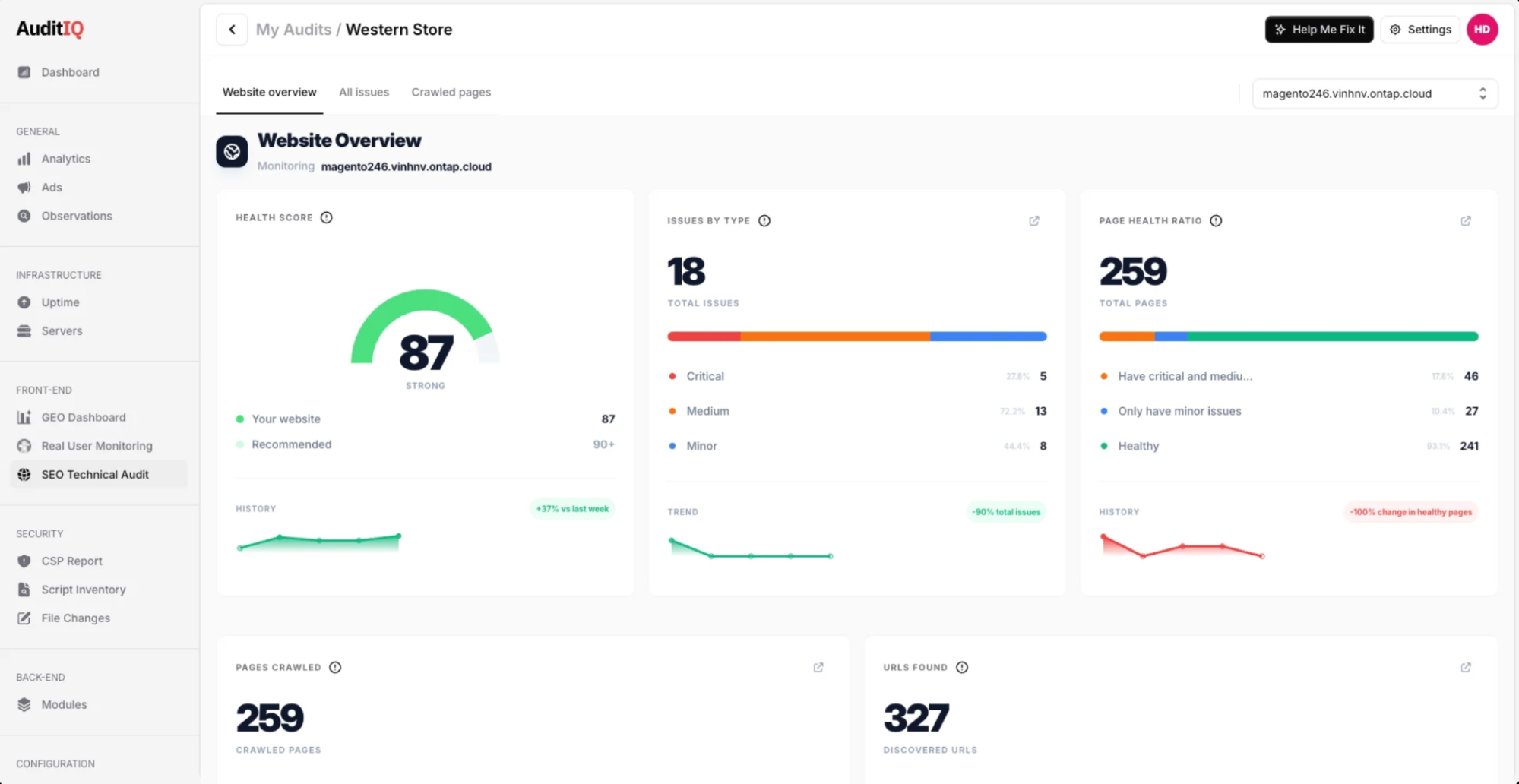
Beyond these AI Max-specific checks, AuditIQ is a comprehensive eCommerce monitoring platform purpose-built for Magento, Adobe Commerce, and Shopify stores. It also covers uptime, real user performance, technical SEO, GEO readiness, security (CSP violations, file integrity, malware detection), analytics, and Google Ads performance, all from a single unified dashboard.
If your eCommerce campaigns are being auto-upgraded to AI Max this September, start with AuditIQ's free full storefront audit to identify every landing page integrity gap before Google's algorithm continues spending your budget on pages you never intended to advertise.
FAQ
1. Can I opt out of the September 1 AI Max auto-upgrade?
The auto-upgrade applies to campaigns using automatically created assets (ACA) and campaign-level broad match. You can remove these features before September 1 to avoid the automatic upgrade. However, Google's direction is clear: AI Max will eventually replace legacy search features.
2. Does AI Max respect my negative keywords?
Yes, AI Max respects negative keywords for search term matching. However, negative keywords do not control which landing pages AI Max selects through Final URL Expansion; that requires URL exclusion rules or a page feed.
3. How do I know if Final URL Expansion is active on my campaigns?
In Google Ads, check your campaign settings under "AI Max." Final URL Expansion is turned on by default when you opt in to AI Max. You can toggle it off, but this limits AI Max's reach.
4. Will Google's new A/B testing tools prevent broken landing pages?
No. The August 20, 2026 testing tools help you measure AI Max's impact on performance, but they do not audit or validate the landing pages AI Max selects. You need separate monitoring for landing page integrity.
About the author
Dan Garner writes from AuditIQ's experience monitoring eCommerce performance, SEO, security, and reliability issues across Magento, Shopify, WooCommerce, and Adobe Commerce stores.