Google Ads vs. GA4: How to make sense of revenue differences
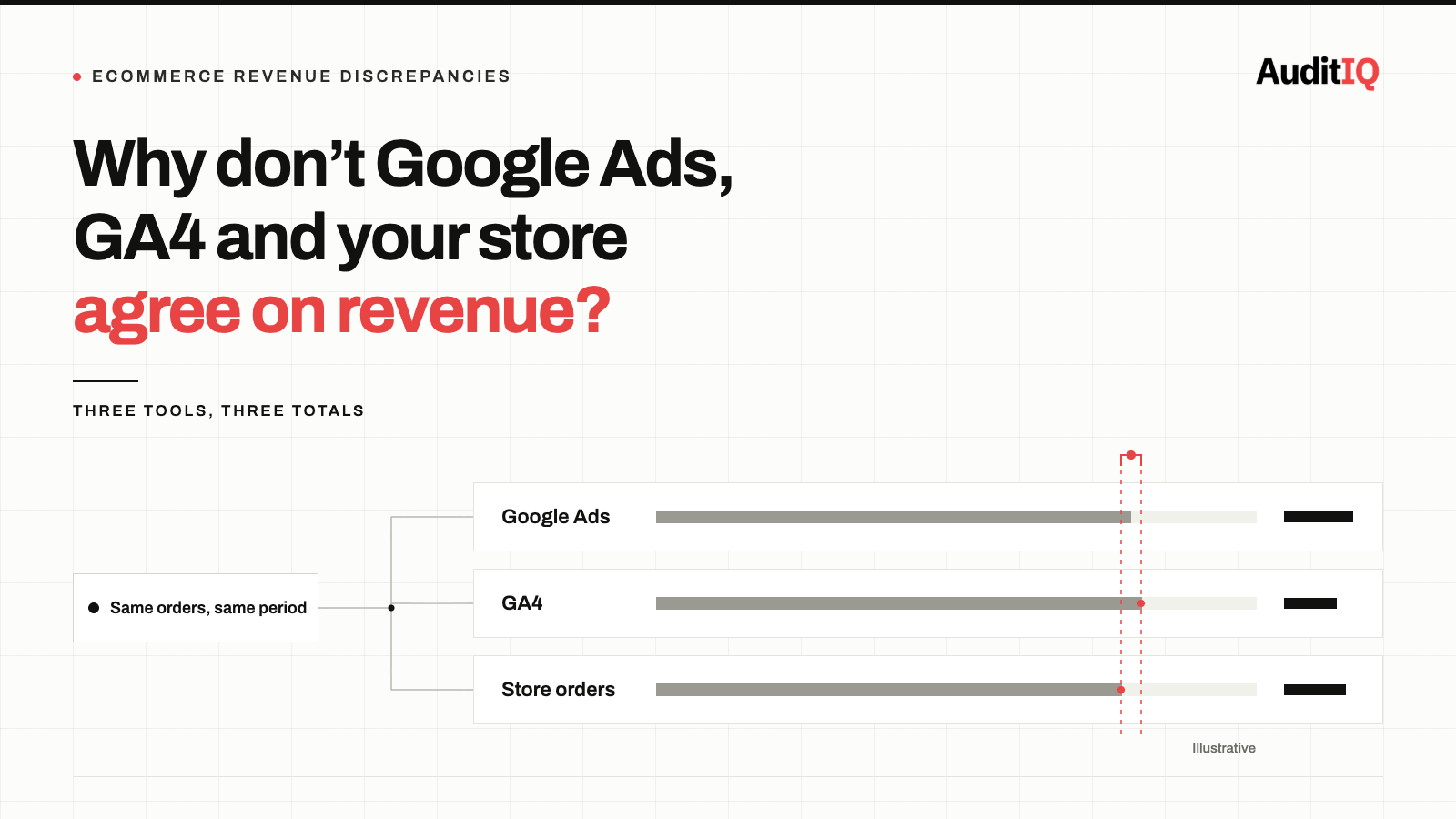
Google Ads and GA4 report different conversions and revenue because they credit conversions to different dates (click date vs conversion date), apply different attribution models and windows, and handle consent modelling, view-through conversions, and duplicate counting differently. The gap is permanent, so use Google Ads conversions for bidding, your platform’s order data for finance, and watch for sudden shifts in the gap between tools, which signal a genuine tracking failure.
Google Ads and GA4 will almost never report the same conversion count or revenue figure for your eCommerce store, and that is by design. GA4 also tends to record fewer conversions than Google Ads and your platform’s order data, because it relies on browser-side tracking that ad blockers, consent choices, and tracking prevention can interrupt; how large the difference is varies widely by audience and setup.
The real business risk is not the discrepancy itself, but making budget decisions without knowing which number is authoritative for which decision, and failing to notice when the gap shifts from structural variance to genuine tracking failure.
Signs your Google Ads and GA4 revenue numbers don’t match
You are likely experiencing this problem if:
- Google Ads reports significantly more (or fewer) purchase conversions than GA4 for the same date range.
- Your ROAS in Google Ads looks healthy, but your GA4 eCommerce revenue tells a different story.
- Switching from a Google Ads conversion action to a GA4-imported conversion changed your reported performance overnight.
- Your Smart Bidding campaigns seem to optimise toward a different conversion count than what your analytics shows.
- Revenue in your eCommerce platform’s order dashboard does not match either Google Ads or GA4.
These symptoms are not necessarily a tracking error. But they can mask one, and telling the two apart requires understanding the structural causes.
Why Google Ads and GA4 disagree: The structural causes
1. Click-date vs. conversion-date attribution
Google Ads attributes a conversion to the date the user clicked the ad. GA4 attributes it to the date the conversion actually happened. If a customer clicks an ad on Monday and purchases on Thursday, Google Ads records the conversion on Monday; GA4 records it on Thursday. Google Ads also offers “by conversion time” columns, which report conversions on the day they happened and make comparison with GA4 and your sales reports easier.
For eCommerce stores with multi-day consideration periods, this single difference creates persistent weekly and monthly discrepancies, especially around promotional periods when click volume spikes days before purchase volume does.
2. Different attribution windows, models, and channel credit
Google Ads defaults to a 30-day click-through window and a 1-day view-through window for most conversion actions. GA4 credits conversions across all channels using its own reporting attribution model and lookback settings (data-driven by default), while Google Ads only counts conversions that follow one of its own ad interactions. The same order can therefore be a full conversion in Google Ads and a partial credit, or no credit at all, for Google Ads in GA4.
View-through conversions come from impressions the user saw but did not click, a signal GA4 does not capture in the same way. In Google Ads, they are generally reported in the “View-through conversions” and “All conversions” columns rather than in “Conversions”, with exceptions such as Demand Gen campaigns that use view-through optimisation, so check which column you are comparing against GA4 before concluding that Google Ads is over-counting. For stores running YouTube, Display, or Demand Gen campaigns alongside Shopping, the view-through window can still create a consistent gap between Google Ads and GA4.
3. Consent Mode and signal loss
When a user declines cookies, GA4 may not be able to measure the visit or conversion in the usual way, and the effect scales with your consent rejection rates. Google Ads partly compensates with conversion modelling through Consent Mode: Google reports that, on average, it recovers more than half of the ad-click-to-conversion journeys that would otherwise be lost, though results vary with consent rates and your Consent Mode setup.
Modelling is not a simple scale-up. Consented users are typically two to five times more likely to convert than unconsented ones, and Google only includes modelled data when it has high confidence, so accounts without enough data may not receive it. Where it applies, modelled conversions appear in the Conversions column of Google Ads, while GA4 relies on its own, separate behavioural modelling for users who decline analytics cookies. The two systems model independently, which can widen or shift the reported gap even when both are set up correctly.
4. Duplicate counting and counting settings
Google Ads can be configured to count every conversion per click or only one, using its counting method setting. “Every” is the default for website conversions and the right choice when you want to count every sale; “One” suits leads, where only one per click adds value. GA4 deduplicates purchases by transaction ID: if the same transaction_id fires twice, GA4 counts it once.
Google Ads also uses a transaction ID to recognise duplicates: if the same ID arrives twice for the same conversion action, the second is treated as a duplicate, so a refresh of the confirmation page does not double-count when the ID is passed. Duplicates usually appear when a conversion is sent from more than one place without a shared ID, for example, a native Google Ads tag and an imported GA4 key event both set as primary actions for the same purchase, or a platform integration plus a manually installed tag.
5. Cross-device and cross-browser gaps
Google Ads uses Google’s signed-in user graph to join conversions across devices. GA4 relies on its own user identification hierarchy (User-ID, Google signals, device ID). When these systems identify users differently, or when one cannot identify a user at all, the same real-world conversion appears in one platform but not the other.
6. Revenue value differences
Even when conversion counts line up, revenue can differ. The value sent with the purchase event may include or exclude tax, shipping, and discounts; currency settings can differ between your Google Ads account, GA4 property, and store; refunds and cancellations are usually not reflected in either tool unless you adjust for them; and test orders can slip into one tool but not the other. This is why your platform’s order data, not either tool, should anchor financial figures.
What is a normal gap between Google Ads and GA4?
There is no official benchmark. Practitioners commonly treat a stable gap of roughly 10–30% as normal for stores with healthy tracking, with wider gaps in regions where many visitors decline consent, but the figure that matters is your own baseline and how steady it is. A gap that has sat at 20% for months and suddenly becomes 45% deserves attention, even if 45% would be ordinary for another store. Compare complete periods rather than the last few days, because both tools keep updating recent data.
Which number to trust for bidding, budget, and financial reporting
The answer depends on the decision you are making:
1. For Smart Bidding optimisation: Use the Google Ads conversion action. It is the signal the bidding algorithm optimises against. Switching to a GA4-imported conversion mid-campaign can trigger a learning period and temporarily change performance.
2. For ROAS and budget allocation decisions: Use GA4 eCommerce data as the baseline for revenue, cross-referenced against your eCommerce platform’s order data. Google Ads conversion value is useful for relative comparison between campaigns, but should not be treated as absolute revenue.
3. For financial reporting: Trust your eCommerce platform’s order management system. Neither Google Ads nor GA4 is an accounting system. Their revenue figures are measurement estimates, not transactional records.
4. For identifying tracking failures: The discrepancy percentage is your diagnostic signal. Track the ratio between Google Ads conversions and GA4 conversions over time. A sudden change in this ratio, not the existence of a gap, but a shift in its size, indicates a tracking failure rather than structural variance.
When the gap signals a tracking problem
Not all discrepancies are benign. Investigate immediately when:
- The gap suddenly widens or narrows by more than about 15 percentage points (a starting threshold; tune it to your own baseline) without a corresponding change in consent rates, attribution settings, or campaign mix.
- GA4 eCommerce revenue drops to zero or near-zero while Google Ads still reports conversions, this almost always indicates a broken purchase event tag or a consent configuration error.
- Google Ads reports zero conversions while GA4 shows normal purchase activity, check that your conversion action is properly linked and that the conversion window has not expired.
- Your eCommerce platform’s order count diverges significantly from both Google Ads and GA4; this indicates a tracking gap that both platforms are missing, often caused by a payment gateway redirect that prevents the confirmation page from loading.
How to diagnose and narrow the gap
Step 1: Align your date ranges. Compare Google Ads data using the “by conv. time” columns (such as “Conversions (by conv. time)”) rather than the standard click-date columns, to match GA4’s convention for an apples-to-apples comparison. Make sure your Google Ads account and GA4 property use the same time zone and currency, and leave out the most recent days, which are still incomplete in both tools.
Step 2: Check your Google Ads conversion action settings. Confirm purchase conversions use the “Every” counting method so repeat purchases after a click are counted, and rely on a unique transaction ID to prevent duplicates; reserve “One” for leads. Check that only one purchase conversion action is set as primary, so an imported GA4 key event and a native Google Ads tag are not both counted, and verify the attribution window matches your customer journey length.
Step 3: Audit your consent implementation. In GA4, check the Consent mode reporting to see what percentage of your traffic is granted analytics_storage and ad_storage. If ad_storage consent is significantly lower, your GA4-to-Google-Ads data pipeline is restricted.
Step 4: Verify transaction ID deduplication. Confirm that your purchase event includes a unique transaction_id parameter and that the same ID is used in both your GA4 tag and your Google Ads conversion tag.
Step 5: Cross-reference with your eCommerce platform. Export orders for a specific date range and compare the count and total revenue against both GA4 and Google Ads. The platform is the source of truth; the gap between platform data and each analytics tool reveals where each tool loses signal.
How to monitor the gap over time
After aligning your configuration:
- Track the GA4-to-Google Ads conversion ratio weekly. Establish your baseline ratio over 4–6 weeks of stable data.
- Set an alert for when the ratio deviates by more than about 15 percentage points from the baseline, tuned to your store; this is your early warning for a tracking failure.
- Recheck after every significant change: consent banner updates, tag manager deployments, payment gateway changes, or platform updates.
- GA4 has been adding more control over attribution settings, including settings that can differ per key event and more flexible lookback windows. Check what is available in your property and review each key event so the window and model match your campaign structure.
Keeping your conversion data trustworthy with continuous monitoring
The GA4/Google Ads discrepancy is permanent; you will never eliminate it entirely. But you can monitor it. The moment the discrepancy shifts outside its normal range, something has broken: a consent signal, a purchase event, a tag deployment, or a payment redirect. The merchants who catch these shifts early recover revenue days before those who discover them during monthly reporting.
Because the gap will never be zero, what matters is spotting when it changes, and that usually means something on the storefront broke. AuditIQ helps you find out what:
- Analytics: unsampled Google Analytics data (sessions, bounce rate, real-time traffic, and conversion funnel analysis) alongside multi-touch channel attribution, in the same platform as your technical monitoring, so when your GA4 revenue or conversion rate shifts, you can line it up with a performance regression, a downtime event, or a change on the store instead of cross-referencing by hand.
- User Experience Monitoring: tracks drop-off at each step of the checkout flow, plus frustration signals such as rage clicks and dead clicks, with device, browser, and session context. A sharp drop-off at the final checkout steps is where a payment redirect or confirmation-page problem would show up, the kind of failure that leaves both Google Ads and GA4 missing orders.
- Script Inventory: a continuously updated ledger of every JavaScript file running on your store, with when each was first and last seen, so you can confirm your Google tag and tag manager scripts are present where they should be, and notice when one disappears after a deployment or platform change.
None of this replaces comparing Google Ads, GA4, and your platform’s order data, but it tells you when it is time to run that comparison.
Beyond conversion data, AuditIQ is a 360° eCommerce monitoring platform purpose-built for Magento, Adobe Commerce, and Shopify stores. It continuously monitors every critical layer of a store — performance, infrastructure, SEO, security, user experience, configuration, and code quality — from a single, unified dashboard, so the silent failures that distort your advertising data are caught before they distort your budget decisions.
Start monitoring your storefront for free today to know what to trust, and when to investigate, before the next budget decision.
Others also read
- Google’s GA4 consent mode change is live: Many eCommerce stores are already losing conversion data
- Shopify’s August 26 checkout deprecation: How to protect your post-purchase revenue flows
- Google AI Max is sending your paid traffic to the wrong pages: Guide to finding and fixing broken landing pages before September
Frequently asked questions
1. Is it possible to make Google Ads and GA4 show exactly the same conversion numbers?
No. The structural differences in attribution models, date assignment, consent handling, and conversion modelling mean the numbers will always differ. The goal is to understand the gap, monitor its stability, and investigate when it changes.
2. How big a gap between Google Ads and GA4 is normal?
There is no official benchmark. Practitioners commonly treat a stable gap of roughly 10–30% as normal for stores with healthy tracking, but your own baseline and how steady it is matter more than any single figure. A sudden shift in the gap is the signal to investigate.
3. Why does Google Ads show more conversions than GA4?
The usual reasons are click-date attribution, a different attribution window and credit model, view-through conversions in the “All conversions” column, consent modelling that only Google Ads applies to its own counts, and duplicate counting from tags that share no transaction ID. GA4 can also simply miss conversions that browser-side tracking cannot measure.
4. Should I use GA4 conversions or Google Ads conversions for Smart Bidding?
Use the Google Ads conversion action. Smart Bidding optimises against the signal it receives, and switching conversion sources during active campaigns can trigger a learning period and temporarily change performance.
5. How do I tell if my GA4 is undercounting or my Google Ads is overcounting?
Compare both against your eCommerce platform’s order data. The platform is the source of truth. If GA4 is closer to the platform count, Google Ads is likely inflated by view-through or modelled conversions. If Google Ads is closer, GA4 is likely losing signal to consent or tracking gaps.
6. Does the Consent Mode discrepancy affect all countries equally?
No. The impact scales with consent rejection rates. EU and EEA regions with high rejection rates see the largest GA4 undercounting. Markets without cookie consent regulation see minimal impact from this specific cause.
About the author
Ginny Ngo writes from AuditIQ's experience monitoring eCommerce performance, SEO, security, and reliability issues across Magento, Shopify, WooCommerce, and Adobe Commerce stores.