Cumulative Layout Shift: The silent conversion killer most eCommerce teams aren’t measuring
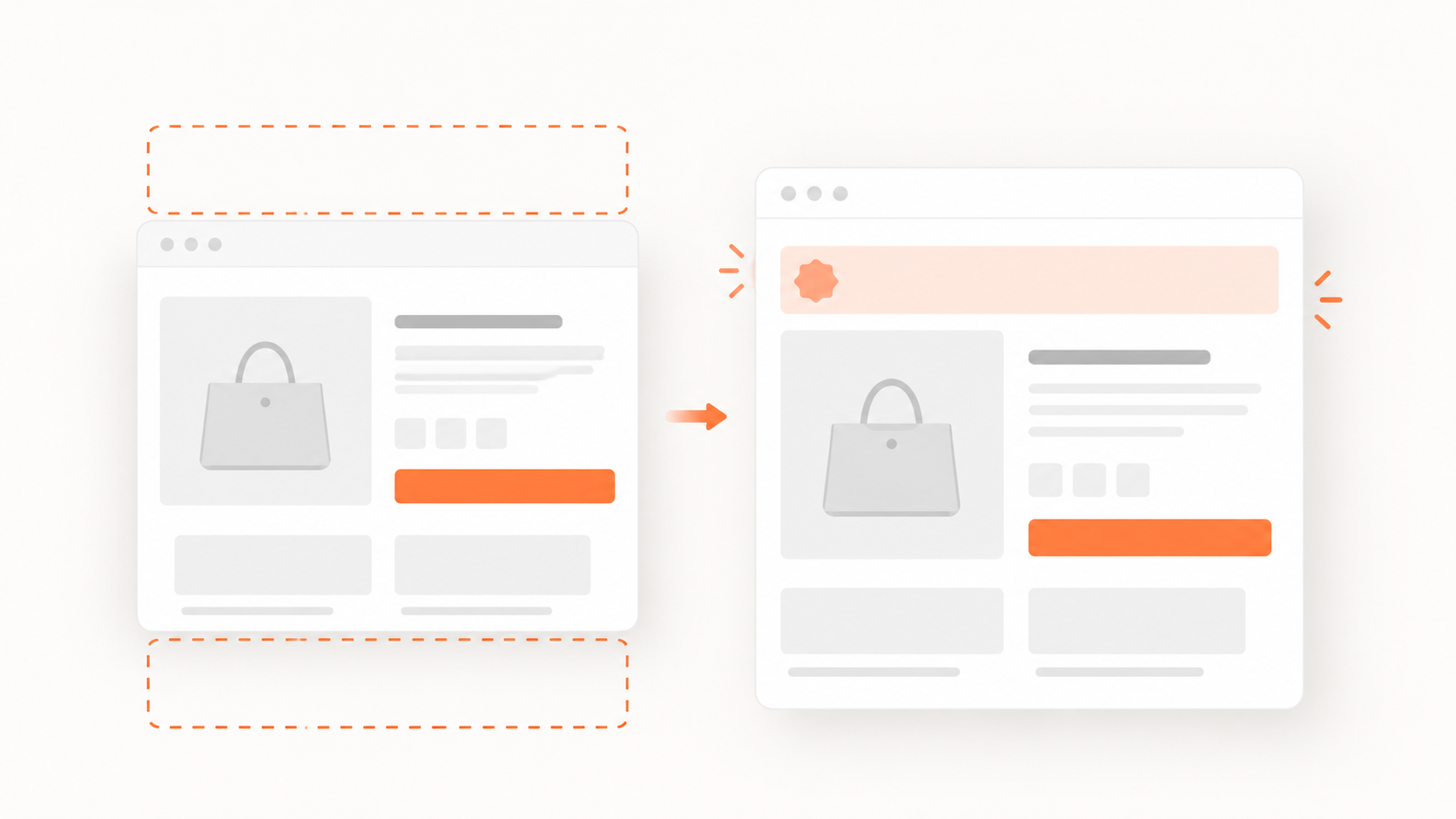
Of the three Core Web Vitals, Cumulative Layout Shift (CLS) is the one most likely to be quietly destroying your conversion rate without anyone noticing. Unlike slow load times, which customers sometimes mention, or outright errors, which at least generate logs, layout shifts leave no trace. The customer tries to tap “Add to Cart,” the button moves, the tap lands somewhere else, and they leave. Nothing in your analytics flags it as a technical problem.
That invisibility is exactly what makes CLS so dangerous, and so worth understanding properly.
What CLS actually measures and why eCommerce is especially exposed
Cumulative Layout Shift measures how much visible content moves unexpectedly during page load and user interaction. Google uses it as one of three Core Web Vitals ranking factors and defines thresholds precisely:
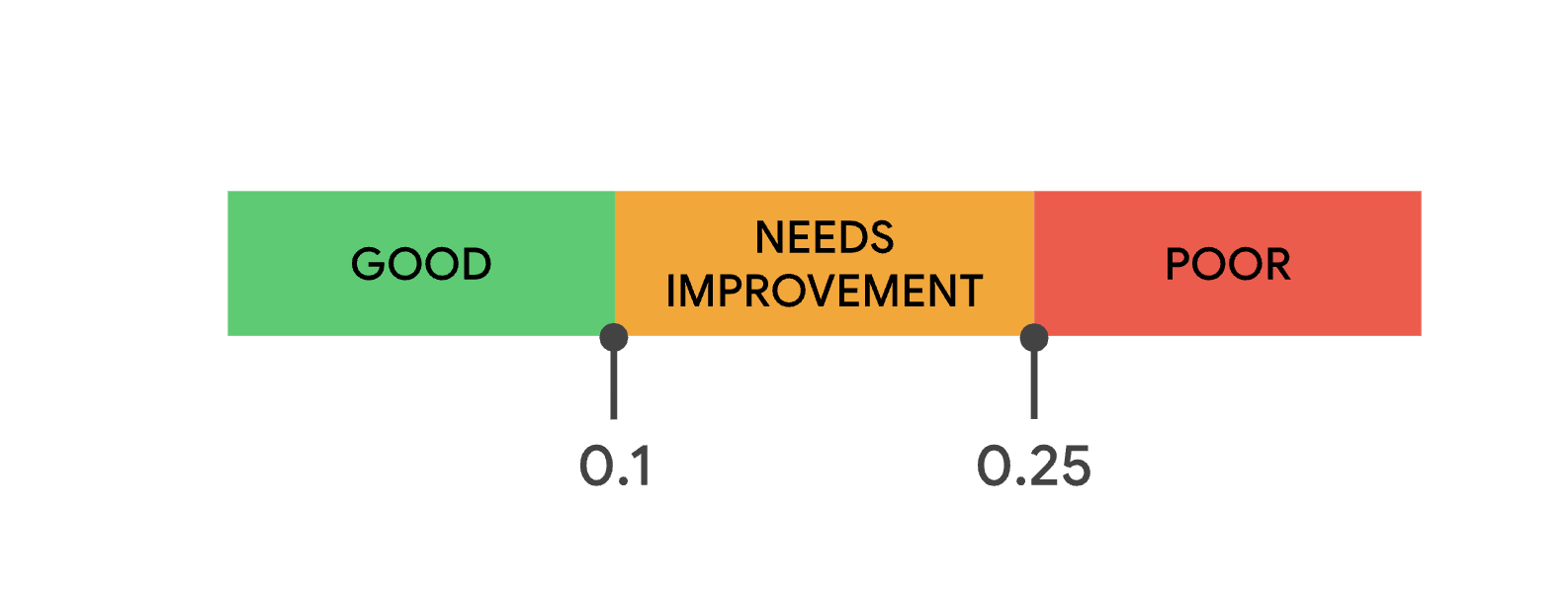
- Good: CLS ≤ 0.1 (Google’s strong recommendation)
- Needs Improvement: 0.1 – 0.25
- Poor: > 0.25
Google evaluates CLS at the 75th percentile of real user sessions, meaning 75% of your visitors need to experience a CLS below the threshold for your site to pass. A green score in Lighthouse doesn’t guarantee you’re meeting that bar in production.
For eCommerce sites, the failure modes are specific and costly:
- A customer reads a product description, the page shifts as a promotional banner loads, and they lose their place and the thread of why they were interested
- A customer taps “Add to Cart” on mobile, the button shifts as a review widget loads beneath it, and the tap registers on a different element, often an ad or a link that navigates away
- A customer is mid-checkout, a third-party script injects a compliance notice, the “Place Order” button moves, and the accidental tap triggers a back-navigation
None of these events generates a JavaScript error. None appear in your error logs. The customer simply doesn’t complete the purchase.
The business impact: case studies that make the case
CLS improvements have a documented and sometimes dramatic impact on eCommerce business metrics. The evidence from real deployments is more convincing than any benchmark figure:
- Rakuten 24 (Japanese eCommerce): Reducing CLS as part of a Core Web Vitals initiative produced a +33.13% increase in conversion rate, +53.37% revenue per visitor, and a −15.20% bounce rate. These are among the largest CLS-driven improvements documented for an eCommerce site.
- Redbus (Indian travel and ticketing platform): Reducing CLS from 1.65 to 0 delivered 80–100% higher mobile conversion rates. This is an extreme example of a poor CLS score, but it illustrates how layout instability on mobile can catastrophically suppress conversion.
- Carpe (skincare eCommerce): A 41% improvement in CLS contributed to a +5% conversion rate and +15% revenue improvement.
- AliExpress: Improving CLS by 10x delivered a −15% bounce rate across the platform.
Across these cases, a pattern emerges: CLS improvements consistently reduce bounce rates and increase conversion. The mechanism is straightforward: visual instability erodes trust. A page that shifts around feels broken even when it technically works. And on mobile, where the majority of eCommerce traffic now originates, the problem is amplified because tap targets are smaller and the tolerance for misclicks is lower.
Why CLS is getting harder to control in 2026
The challenge with CLS is that it tends to get worse over time, not better, as eCommerce sites add features. In 2026, the culprits are multiplying:
- AI-powered recommendation carousels that inject content after initial render, reserving no space until the recommendations are computed
- Real-time inventory notifications that push down product descriptions as they load
- Streaming search results that progressively update as a customer types, shifting the layout with each change
- Chat widgets and GDPR consent banners that appear after the initial page load and push all content below them downward
- Dynamic personalisation that replaces placeholder content with customer-specific content at runtime, often causing a visible shift
Smashing Magazine’s recent deep dive into designing stable interfaces for streaming content highlights a nuance that many eCommerce teams miss: even well-intentioned streaming UIs can create CLS problems. What happens when a recommendation stream is interrupted mid-render? What happens when a customer starts interacting with a page while AI-generated content is still loading in? The intersection of modern dynamic content patterns and CLS is an area most sites haven’t fully addressed.
Why traditional testing misses it
CLS is inherently contextual. A layout shift might only manifest on specific device sizes, with specific combinations of ads loaded, on product pages with a particular number of variants, or only when a third-party script loads slowly on a congested network.
Lab-based testing tools like Lighthouse measure CLS under controlled conditions from a single location, on a simulated device, without the real-world variables that trigger the problem. Your Lighthouse score might be 0.05. Your 75th-percentile field CLS might be 0.28.
This is the gap that Real User Monitoring (RUM) fills: capturing CLS and other Core Web Vitals from actual visitor sessions, across all the devices, network conditions, and content combinations your real customers encounter. RUM doesn’t tell you what could happen in a test. It tells you what is happening, right now, in production.
What eCommerce teams should do
- Reserve space for every dynamic element. Every component that loads asynchronously, recommendation carousels, review widgets, chat widgets, promotional banners, should have explicit dimensions reserved in the layout via CSS aspect-ratio or min-height. This prevents the browser from having to shift existing content to accommodate late-loading elements.
- Measure CLS from real users, not just lab tools. Your Lighthouse score might be green, but your 75th-percentile field CLS might not be. Invest in monitoring that captures CWV field data across your actual traffic, segmented by page type, device, and geography.
- Treat CLS as a conversion metric, not just an SEO metric. The ranking benefit of a good CLS score is real, but the case studies above show that the direct conversion impact is often larger. A poor CLS score on your product pages costs you sales today, regardless of where you rank.
- Monitor continuously, not periodically. A new app install, a theme update, or a change in ad network scripts can degrade your CLS overnight. The Rakuten 24 case was a deliberate improvement programme, but the gains only hold if CLS regressions are caught quickly when they appear.
AuditIQ eCommerce monitoring tool was built specifically for this challenge. It monitors your eCommerce site from the perspective of real users, tracking Core Web Vitals including CLS, detecting layout regressions as they happen, and surfacing the connection between performance issues and revenue impact. When a new feature or third-party script degrades your layout stability, AuditIQ tells you immediately, and in context, before it compounds into the kind of conversion loss the case studies above represent.
CLS is the Core Web Vital that punishes you silently. The sites that fix it see compounding gains. The ones that don’t leave those gains on the table.
Book a free AuditIQ demo to see exactly where CLS is costing you conversions on your real store, with your real traffic.
About the author
Dan Garner writes from AuditIQ's experience monitoring eCommerce performance, SEO, security, and reliability issues across Magento, Shopify, WooCommerce, and Adobe Commerce stores.