Is your Adobe Commerce store patched against BlockStrap? How to verify before attackers exploit CVE-2026-103849
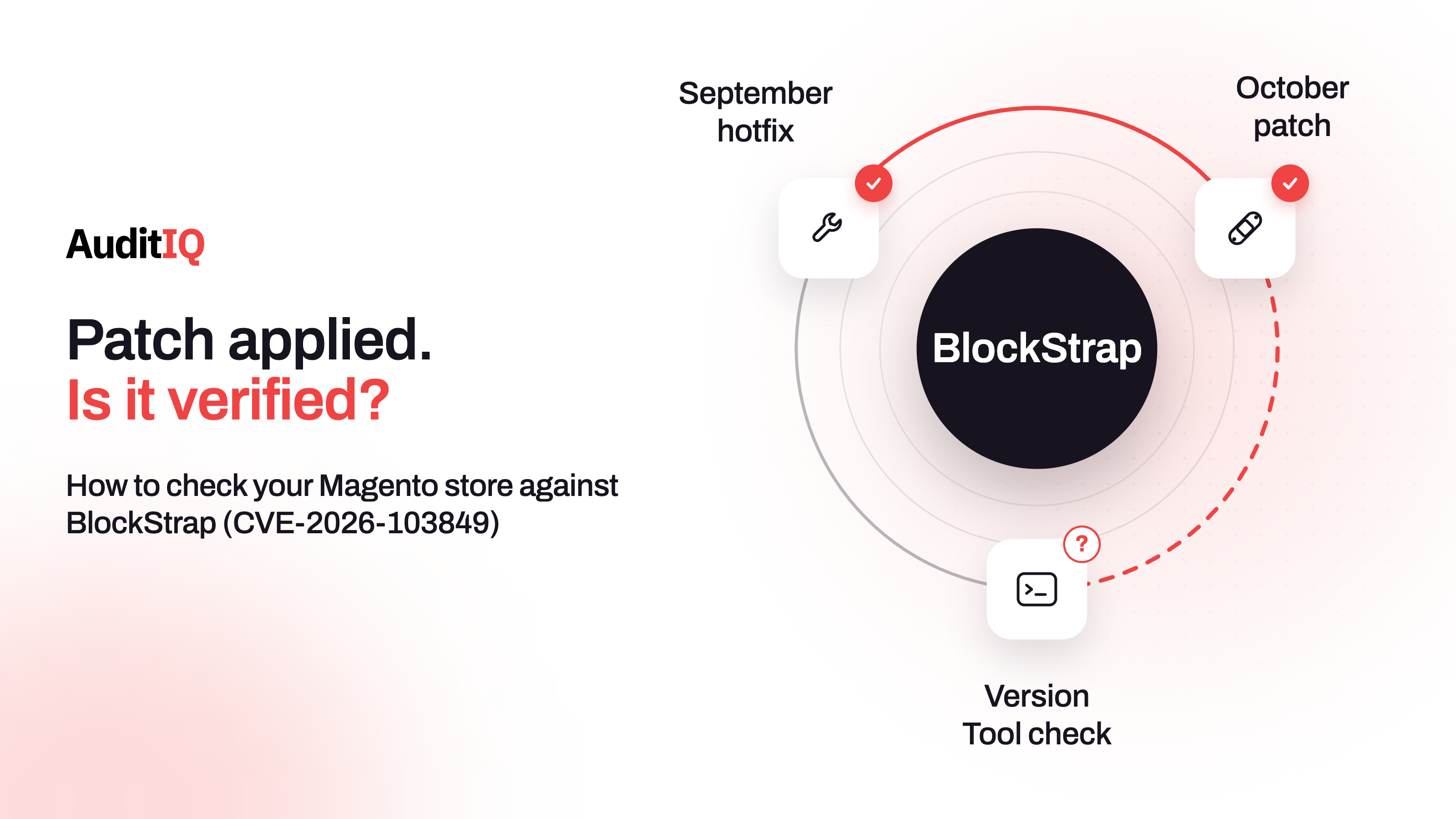
BlockStrap (CVE-2026-103849) is a CVSS 10.0 flaw that lets an unauthenticated attacker run code on Adobe Commerce and Magento Open Source stores that have not applied Adobe’s October 2026 update, APSB26-153. Apply the October patch, keep the September StyleSmuggler hotfix in place, and confirm the fix with Adobe’s Commerce Version Tool. Sansec had seen no attacks on live stores at its last update, but expects them.
On October 13, 2026, Adobe published APSB26-153, a priority 2 security update for Adobe Commerce and Magento Open Source. The most serious issue it fixes is BlockStrap, tracked as CVE-2026-103849: a template-engine injection with a CVSS score of 10.0 that needs no login and no user interaction. Adobe says it is not aware of exploits in the wild, but the security firm Sansec reproduced four routes to code execution within 24 hours of the patch and expects attackers to do the same. A store that has not applied the October update is therefore exposed to someone running arbitrary code on its server.
This guide explains what BlockStrap is, which stores are affected, which patch applies to your version, and how to prove that the patch actually took effect, since a downloaded or deployed patch does not always mean a protected store. It separates what merchants should ask from what agencies and hosts need to run, covers what to do if you cannot patch today, and ends with how to check for compromise and how to patch safely before Black Friday on 27 November.
What is BlockStrap (CVE-2026-103849)?
Adobe classifies the flaw as an improper neutralisation of special elements used in a template engine (CWE-1336) that leads to arbitrary code execution. Sansec, which named it BlockStrap, describes it as a second-pass directive injection in Magento’s email template engine. In plain terms, attacker-controlled data can pass through the engine’s checks and then be treated as a trusted instruction when the template is processed again, which lets an unauthenticated visitor run PHP on the store server.
| Item | What the sources say |
|---|---|
| CVE and bulletin | CVE-2026-103849, fixed in Adobe’s APSB26-153 of October 13, 2026 |
| Severity | Critical, CVSS 10.0, arbitrary code execution |
| Login needed? | No authentication and no user interaction |
| Adobe priority | Priority 2, which Sansec says carries a 30-day window |
| Exploitation status | Adobe is not aware of exploits in the wild. Sansec had not seen attacks on live stores at its October 20 update, and reproduced four exploit routes in a research setting |
| Found by | The researcher vozec, credited in Adobe’s bulletin |
Is my Adobe Commerce or Magento store affected?
Adobe lists the affected builds as the 2026-sep release and earlier in the 2.4.4 to 2.4.9 lines. Fixed builds carry the 2026-oct label. How that applies depends on how your store is hosted:
| Your setup | Affected? | What to do |
|---|---|---|
| Adobe Commerce on-premises | Yes, if not on 2026-oct or the isolated patch |
Apply the isolated patch for your release line |
| Adobe Commerce on Cloud | Yes, until the latest cloud patches are applied | Apply the latest cloud patches and verify what is deployed |
| Magento Open Source | Yes, for 2.4.6 and later builds listed by Adobe | Apply the October patch if you are on 2.4.7 or later. Older lines have no public patch |
| Adobe Commerce B2B | Yes, up to 1.5.3 at the 2026-sep level | Check the core and the B2B component patches |
| Mage-OS | Yes, up to 3.5.0 according to Sansec | Upgrade to 3.6.0, released October 14, which includes the fix |
| Shopify-hosted store | Not through this flaw | Check any separate Magento services you run, such as a back office or legacy site |
| Headless storefront | Depends on the commerce backend | Patch the Adobe Commerce or Magento backend and retest checkout flows |
Why priority 2 does not mean you can wait
Adobe rates APSB26-153 as priority 2, and according to Sansec, Adobe reserves priority 1 for issues it knows are being exploited. Because no attacks were known when the update was published, the patch got the lower rating and a 30-day window. Sansec disagrees with that rating for two reasons. The September StyleSmuggler flaw, which sits in the same template engine, went from a priority 1 hotfix to mass exploitation in three days, and Sansec believes anyone with an AI agent can reverse-engineer a patch like this into working exploits in a short time.
That is Sansec’s assessment, not an observation of attacks, so the honest position is this: no exploitation had been reported at its last update, the conditions for it are in place, and a critical, unauthenticated flaw on an internet-facing store deserves an immediate patch. Check Sansec’s page for updates before you rely on the “no attacks yet” status.
Which BlockStrap patch should you apply?
Adobe’s release notes for APSB26-153 explain how the fix is delivered. It is published as isolated patch files and as cloud patches, not as new Composer packages. The rules that matter:
| Situation | What Adobe and Sansec say to do |
|---|---|
| Adobe Commerce on Cloud | The fix arrives through the latest cloud-patches update. Applying the isolated patch on top of it can cause installation failures |
| On-premises, any supported line | Use the isolated patch for your release line: 2.4.9, 2.4.8-p5, 2.4.7-p10, 2.4.6-p15, 2.4.5-p17, or 2.4.4-p18. Be on the latest -p release for that line first |
| Missed earlier monthly patches | Monthly isolated patches are cumulative, so earlier ones must already be applied, in release order |
| Magento Open Source | Adobe’s public patches start at 2.4.7. For 2.4.6 or older, Sansec advises upgrading to 2.4.7-p10 or later. Third-party backports exist, but Sansec gives no warranty for them |
| Adobe Commerce 2.4.6 or older | The patch is available but needs your Composer keys to download |
| A fresh Composer install | It starts from the vulnerable base version, so you must still apply the 2026-oct release or the isolated patch |
| Adobe Commerce B2B | Apply the matching B2B patch for your B2B version as well as the core one |
Because of these rules, a version number alone is not proof of protection. A store can show 2.4.8-p5 and still be unpatched, which is why the verification section below matters.
Do you still need the September StyleSmuggler hotfix?
Yes. Adobe states that the hotfix for CVE-2026-75650, the StyleSmuggler flaw, is not included in the October isolated patch and must be applied separately, and its bulletin asks you to apply that hotfix in addition to the October updates. Sansec explains why the two belong together: the September hotfix signs trusted directives, but data controlled by an attacker in a child template can still end up signed and rescanned at the root level, where BlockStrap works. Adobe’s October patch replaces that generic rescan with registered placeholders. Keep the September hotfix, identified as VULN-39341, in place.
There is a second reason to revisit September. Adobe’s own guidance for the StyleSmuggler hotfix says the flaw was exploited in the wild, and asks merchants to rotate the encryption key and every credential that key may have protected, including admin passwords, integration tokens, and payment gateway credentials at the provider. It warns that rotating the key alone does not invalidate credentials that may already be exposed. That rotation advice belongs to the September flaw, not to the October patch, so do it if you have not, and treat it as a recovery step for BlockStrap only if you suspect a compromise.
How do you verify the BlockStrap patch took effect?
Deployment scripts can report success while skipping part of a patch. Verification gives a clear yes or no. The steps below are for your agency, host, or developer, and the checks run from the Magento root directory.
Step 1: Run Adobe’s Commerce Version Tool
Adobe’s recommended method is the Commerce Version Tool. Check whether it is installed with php vendor/bin/patch-status --version, then run php vendor/bin/patch-status. The output lists applied patches, missing patches, and a status per CVE of PROTECTED, VULNERABLE, or UNKNOWN. The tool arrived with the July 2026 isolated patch, so if the command is missing, apply that file first.
Step 2: Use the Quality Patches Tool on cloud if needed
If the Commerce Version Tool is not available, Adobe Commerce on Cloud merchants can confirm a specific isolated patch with the Quality Patches Tool by running vendor/bin/magento-patches -n status and checking that the patch shows as Applied.
Step 3: Add a code-level check (optional)
Sansec suggests a quick file check: run grep -c resolveDeferredDirectives vendor/magento/framework/Filter/Template.php. The October patch adds that function, so a result of 0 means the BlockStrap fix is missing, even if the deployment reported no errors. On Mage-OS, check the same path under vendor/mage-os. This is a security vendor’s method, not an Adobe one, so treat it as a second opinion next to the Commerce Version Tool.
Step 4: Check the special case for 2.4.8-p5
If you are on 2.4.8-p5 and see an UNKNOWN status after applying the October patch, Adobe has published an updated patch note for that version. Sansec explains that the first version of the 2.4.8-p5 patch left out a change to a file called EmailAddress.php for a separate bug in the same bulletin, which Adobe later published as 248p5-2026-10-002-CE. The BlockStrap fix itself is in both versions.
Step 5: Confirm production, not just your repository
Check the code that is running on the production server, not only what is in Git, and follow your normal release process for cache and static content. A patch that exists in your repository but never reached production protects nothing.
What should you ask your agency or host?
If you do not manage the server yourself, three questions give you a clear answer without any command line:
- Which Adobe Commerce or Magento version and patch level is running in production?
- Is the October
2026-octrelease or isolated patch installed, and can you show me the Commerce Version Tool output for CVE-2026-103849? - Is the September StyleSmuggler hotfix still applied, and were the credentials rotated afterwards?
Ask for the answers in writing before the Black Friday and Cyber Monday weekend, so there is a record of what was verified and when.
What can you do if you cannot patch today?
Patching is the fix, and nothing replaces it. If you cannot apply it within hours, for example because you are on an older line that needs an upgrade, ask your security provider about virtual patching or WAF rules that block known exploit attempts, as a temporary layer only. Sansec offers one for its customers, and other providers have their own. Plan the upgrade at the same time, because a WAF rule is not a fix and a store on Magento Open Source 2.4.6 or older has no public patch to wait for.
How do you patch safely before Black Friday?
A critical patch deserves speed, but a patch that breaks checkout in the week of the sale causes its own loss. Sansec notes that Adobe’s fix changes the framework and several modules, so test the areas that depend on templates:
- Take a backup and confirm that you can restore it.
- Patch a staging environment first, with the same PHP version, extensions, and theme as production.
- Test checkout with every payment method, plus shipping, tax, and the admin panel.
- Send test order emails and check that transactional and marketing templates still render correctly.
- Deploy in a low-traffic window, then verify the status with the Commerce Version Tool.
- Watch error rates, checkout completion, and email delivery for 48 hours, and keep a rollback path.
How do you check for signs of compromise after patching?
The patch closes the door but does not remove anything an attacker left behind. Sansec has not published indicators specific to BlockStrap, so use general signs of a compromised Magento store and treat each as a lead, not proof:
| What you find | Possible meaning | Next step |
|---|---|---|
| Unfamiliar PHP files in pub/media, var, or generated | A planted webshell or backdoor | Compare with your deployments before deleting anything |
| Modified .htaccess files or new rewrite rules you did not create | Redirects or hidden access | Check who changed them and when |
| Admin accounts you do not recognise | Persistence after a break-in | Review the account list and creation dates |
| External scripts on checkout or payment pages | A card skimmer | Compare against your approved scripts |
| Core files that do not match checksums for your version | Modified framework code | Restore from a known-clean source after taking evidence |
| Unexpected outbound connections or scheduled tasks | Data leaving the server or a backdoor running | Review server and cron configuration |
Three cautions prevent false alarms. An empty file with a long hexadecimal name that starts 976bc24c in your Magento root is a side effect of the October patch, not a sign of compromise. Payloads for the Twig template engine in access logs do not point to BlockStrap, since Magento does not use Twig, and callbacks to bxss.me come from the Acunetix scanner. And a malware scanner built for Magento, such as eComscan from Sansec or an equivalent, is a sensible next step.
If you find something real, restrict or isolate the environment, preserve logs before cleaning up, bring in your security team or an incident-response provider, rebuild from a known-clean source if the compromise is confirmed, and rotate the credentials Adobe lists, including the ones held at your payment gateway. Review payment-card and customer-notification obligations with the right people.
What should you monitor after patching?
- Server file changes that do not come from your deployment process
- New admin users and changes to existing ones
- New or changed scripts on checkout and payment pages
- Error rates, checkout completion, and order emails for several days after each patch
- Adobe’s monthly isolated patches, which build on each other and must be applied in release order, so catch up on any month you missed
Watching for changes after a critical Magento patch with AuditIQ
A critical patch fixes one hole, and what happens next is visible in your files, scripts, and extensions. AuditIQ helps you watch for those changes:
- File Integrity: logs every server-side file modification, creation, and deletion as it happens, with path and timestamp, plus hash-based verification and alerts by portal, email, and Slack. An unexpected PHP file shows up in the log, and the patch itself shows up as file changes at the time you applied it.
- Malware Detection: scans your frontend code and server files for known malware signatures, suspicious code patterns, and obfuscated scripts, with immediate alerts.
- Module Monitoring: keeps an inventory of every installed module, alerts you when a security fix is released, and checks daily code hashes to detect unauthorised changes to module code.
- Script Inventory: a ledger of every JavaScript file on the storefront pages it crawls, showing when each was first and last seen, so an unfamiliar script appearing on a payment page is easy to spot.
AuditIQ does not verify Adobe’s patch status (the Commerce Version Tool does that), does not block exploitation, and does not replace incident response. Module Monitoring covers extensions, not the Magento core. Use Adobe’s tools to confirm the patch, and use monitoring to catch what changes after it.
Beyond security patches, AuditIQ is a 360° eCommerce monitoring platform purpose-built for Magento, Adobe Commerce, and Shopify stores. It continuously monitors every critical layer of a store — performance, infrastructure, SEO, security, user experience, configuration, and code quality — from a single, unified dashboard, so a quiet intrusion does not turn into lost holiday revenue.
Start monitoring your store for free today to see unexpected file and script changes the moment they appear.
Others also read
- StyleSmuggler is actively backdooring Magento stores: Guide to detecting if your store is already compromised
- PHP2Shell (CVE-2026-109618 and CVE-2026-109619): Is your eCommerce store patched before Black Friday?
- AI can now exploit your eCommerce vulnerabilities in 15 minutes: Your patch window has collapsed
Frequently asked questions
1. Is my store vulnerable to BlockStrap if I applied the StyleSmuggler hotfix?
Yes. The September hotfix alone does not address BlockStrap. You need Adobe’s October update, and you should keep the September hotfix in place, because Adobe says the October patch does not include it.
2. Does BlockStrap require admin access to exploit?
No. Adobe rates it as needing no authentication and no user interaction, so anyone who can reach the store over the internet could try it.
3. Is Magento Open Source affected by CVE-2026-103849?
Yes. Adobe’s public patches cover Magento Open Source 2.4.7 and later. For 2.4.6 or older there is no public patch, and Sansec advises upgrading to 2.4.7-p10 or later.
4. Is BlockStrap being exploited?
Adobe said it is not aware of exploits in the wild, and Sansec had not seen attacks on live stores at its last update, though it reproduced four exploit routes within 24 hours and expects attackers to follow. Check Sansec’s page for the latest status.
5. How do I check that the BlockStrap patch is applied?
Run Adobe’s Commerce Version Tool and look for a PROTECTED status for CVE-2026-103849. Do not rely on the version number alone, because the patch is applied as isolated files, and a deployment can skip part of it without reporting an error.
6. Do I need to rotate my encryption keys because of BlockStrap?
Adobe’s key and credential rotation guidance comes with the September StyleSmuggler hotfix, because that flaw was exploited. For BlockStrap, rotate only if you suspect a compromise. In either case, rotate credentials at their source, such as your payment gateway, since rotating the encryption key alone does not invalidate credentials that may already be exposed.
7. What should I do on Adobe Commerce Cloud?
Apply the latest cloud patches and verify what is deployed. Adobe warns that applying the isolated patch when the cloud-patches fix is already in place can cause installation failures.
8. What if I find signs of compromise?
Restrict or isolate the environment, preserve logs, involve your security team or an incident-response provider, apply the patch, rebuild from a known-clean source if the compromise is confirmed, and rotate credentials including those at your payment gateway. Then review your payment-card and customer-notification obligations.
About the author
Ginny Ngo writes from AuditIQ's experience monitoring eCommerce performance, SEO, security, and reliability issues across Magento, Shopify, WooCommerce, and Adobe Commerce stores.