3D Secure payment failures in eCommerce: How to detect, diagnose and fix lost orders
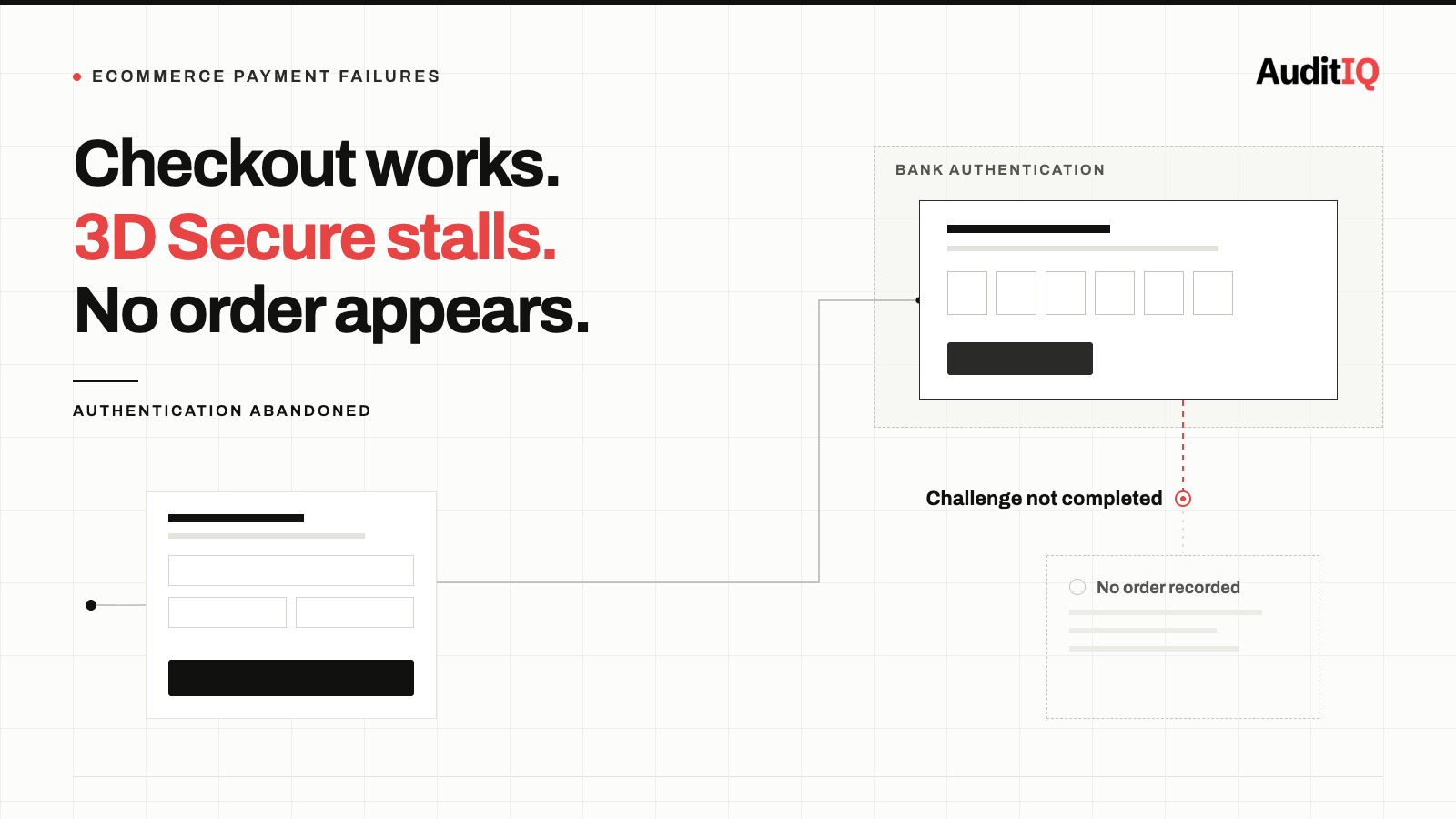
3D Secure failures lose eCommerce orders because the problem happens on the bank’s authentication step, not on your storefront: missing data stops issuers approving payments frictionlessly, redirects, iframes, or mobile browsers break the challenge, and rejected exemptions trigger unexpected soft declines. Your checkout looks fine and analytics show no error. Measure authentication and frictionless rates by device, country, and issuer, send richer 3DS data, and retry soft declines with authentication.
3D Secure (3DS) authentication failures can silently reject a significant share of legitimate payment attempts, depending on how well they are implemented. The failures happen after checkout but before order completion, on the bank’s authentication step, not on your storefront, which means your checkout works, your analytics show no error, and your customer simply disappears.
Finding and fixing these failures requires monitoring that extends beyond your storefront into the payment authentication layer.
Signs 3D Secure is silently losing you orders
You will rarely see a “3D Secure failed” error in your own systems. Instead, you will notice:
- High cart-to-payment drop-off: Customers complete checkout but orders do not appear. The gap between “checkout initiated” and “order confirmed” is wider than expected.
- Geographically skewed conversion drops: Conversion rates fall specifically in EU, UK, or other markets where Strong Customer Authentication (SCA) is mandatory.
- Payment method abandonment patterns: Customers with certain card types (particularly Visa and Mastercard in regulated markets) fail to complete at higher rates than those using PayPal, Apple Pay, or other non-3DS methods.
- Customer complaints about redirects: Shoppers report being sent to a blank page, a spinning loader, or a “session expired” error during payment.
- Increased “where is my order?” enquiries from customers who believe they completed checkout but whose payment was silently declined.
Why 3D Secure failures don’t show up in your analytics
The 3D Secure authentication flow hands the customer from your checkout to their card issuer’s authentication environment. This is where the failure occurs:
- The authentication chain: Your checkout → payment gateway → card network → issuing bank → authentication decision (frictionless approval or a challenge) → back to your store. Any link in this chain can fail silently.
- The challenge window: With modern EMV 3DS in a browser, the merchant opens an iframe on its checkout page and the issuer provides the challenge inside it; some integrations use a modal, popup, or full redirect instead. Iframe sizing problems, Content Security Policy rules that block the bank’s domain, blocked third-party cookies, and popup blockers can all stop the challenge from appearing. Integrations built around the old 3D Secure 1.0, which Visa and Mastercard retired in October 2022, add further risk.
- The out-of-band gap: The bank sends a one-time password by SMS, or asks the customer to approve in their banking app. The SMS does not arrive, arrives late, or the customer’s phone number is outdated, or the customer switches to the app and the return to your checkout breaks, a known weak spot of browser-based out-of-band authentication.
- The frictionless fallback: 3DS2 supports frictionless authentication where the bank approves without customer interaction. When frictionless is not requested or the bank rejects the exemption, the customer faces an unexpected challenge.
None of these failures generate an error on your storefront. Your server logs show a payment initiation. The customer’s browser leaves your page for the bank’s authentication step. If authentication fails, the customer either sees an error from the bank or gets returned to your checkout with a generic “payment declined” message that you may not even log.
Why 3D Secure fails: Causes ordered by probability
1. Poor frictionless flow configuration (most common)
3DS2 introduced frictionless authentication, where the bank approves low-risk transactions without a customer challenge. If your payment integration does not send the required data fields (customer email, billing address, device data, transaction history) to the card network, the bank cannot make a risk assessment and defaults to a full challenge, increasing failure rates significantly. Ravelin’s data points the same way: frictionless rates have fallen because merchants are not submitting enough data, or not the right data, and the upcoming 3DS 2.3 standard adds new fields that give issuers more context.
What to check: Verify with your payment gateway that your integration sends all optional but recommended 3DS2 data fields. Stripe, Adyen, and Braintree all document which fields improve frictionless approval rates.
2. Challenge window, redirect, and popup handling failures
The 3DS challenge can be delivered as a redirect, an iframe, or a popup window. Each mechanism fails differently:
- Redirects break when the return URL is misconfigured, when session cookies are lost during the redirect chain, or when the customer’s browser blocks cross-origin redirects
- Iframes fail on mobile browsers that restrict third-party cookie access, when the iframe is sized badly for a small screen, or when Content Security Policy headers block the bank’s authentication domain
- Popups are blocked by default on most mobile browsers and many desktop browsers
What to check: Test your 3DS flow on mobile Safari, Chrome on Android, and a desktop browser with an ad blocker. If the authentication challenge does not appear cleanly on all three, you are losing orders.
3. SCA exemption mismanagement
PSD2 in Europe and similar regulations allow exemptions from 3DS for:
- Transactions under €30 (£25 in the UK), the low-value exemption, although issuers can still require SCA once the cumulative amount exceeds €100 (£85) or after five transactions since the last authentication
- Merchant-initiated payments such as subscription renewals, when the saved card was authenticated at the point it was stored and the customer agreed to be charged later
- Trusted beneficiary lists, where your gateway supports them
- Transaction Risk Analysis (TRA), where the payment provider’s overall fraud rate stays below set thresholds (0.13%, 0.06%, and 0.01% for payments up to €100, €250, and €500)
Exemptions are popular, but they are not a free pass. 78% of merchants now report using exemptions, yet Ravelin finds that issuers are tightening their fraud assessments and denying those requests more often. Claiming an exemption that the issuing bank does not honour results in a soft decline, requiring a retry with full authentication, and most checkout implementations do not handle this retry gracefully. Note also that when a bank approves an exemption request, liability shift for fraudulent transactions does not apply, so exemptions trade friction for chargeback risk.
What to check: Review your exemption strategy with your payment gateway. Verify that your integration handles soft declines by automatically retrying with 3DS rather than showing the customer a “payment failed” error. This applies to soft declines that ask for authentication. If the authentication itself fails, retrying immediately rarely changes the issuer’s decision, so offer another payment method instead of looping the same attempt.
4. Mobile browser and device-specific failures
3DS authentication is disproportionately problematic on mobile devices:
- SMS OTP delivery is slower or unreliable on certain carriers
- The chain between checkout, gateway, and bank is more likely to break session state on mobile browsers
- Mobile browsers more aggressively block third-party cookies needed by the 3DS iframe
- Switching to a banking app to approve a payment and then returning to the browser can lose the checkout session
- Browser-based 3DS inside your own mobile app is usually weaker than a native 3DS SDK, which supports in-app biometric and push approval
Since mobile now drives most eCommerce traffic, these device-specific failures represent a significant revenue gap. Compare mobile and desktop authentication rates for your own store rather than assuming a fixed difference.
What is a healthy 3DS success rate?
There is no single healthy number, because rates vary widely by the country of the issuing bank. The same Ravelin data shows 3DS success rates ranging from about 95% in the UK, 93% in Italy, and 88% in the US to 81% in Spain, 82% in Canada, and the mid-70s in parts of the Nordics. Meanwhile frictionless rates have been falling in every region, to 54% in North America, 62% in Europe, and 58% globally, so a share of customers being challenged is normal.
As a starting heuristic, investigate when your authentication success rate drops below roughly 85% or your challenge rate climbs above about 30%, but treat those numbers as a prompt rather than a verdict. The more reliable test is your own baseline: compare by issuing country, device, and card network, watch for sudden shifts, and remember that some failed authentications are genuine fraud being stopped correctly, which is why comparing card payments against methods that bypass 3DS is a better measure of lost legitimate orders.
How to diagnose 3D Secure authentication failures
Step 1: Measure your 3DS authentication rate
Your payment gateway dashboard should show:
- Challenge rate: What percentage of transactions trigger a customer-facing 3DS challenge
- Authentication success rate: What percentage of challenged transactions successfully authenticate
- Frictionless approval rate: What percentage of transactions are approved without a challenge
Compare these against your own history and the benchmarks above, and record them weekly so a drop is visible.
Step 2: Segment failure rates by device, country, and card type
Break down 3DS failures by:
- Device type: Mobile failure rates are often higher than desktop, so measure the gap for your own store
- Country and issuer: Issuing banks in different countries have different 3DS implementation quality, and your gateway may let you segment by individual issuer or card BIN
- Card network: Visa and Mastercard have different 3DS2 specifications and behaviours
- Payment method: Compare 3DS-required card payments against wallet payments that bypass 3DS
Step 3: Test the full authentication flow
Use test cards provided by your payment gateway (Stripe, Adyen, Braintree, and others all offer 3DS test cards) to walk through the authentication flow on:
- Desktop Chrome
- Mobile Safari (iOS)
- Chrome on Android
- A browser with an ad blocker enabled
- A browser in private/incognito mode
Document where the flow breaks, redirects fail, or challenges do not display.
Step 4: Review gateway result and decline codes
Gateway logs contain 3DS-specific outcomes that separate authentication problems from ordinary card declines. Each gateway names them differently, so map your own gateway’s equivalents. Stripe, for example, reports 3DS results such as authenticated, exempted, attempt_acknowledged, failed, not_supported, and processing_error, and uses the decline codes authentication_required and authentication_not_handled for soft declines.
failed: the customer or issuer failed the challenge, which points to UX or issuer-side frictionnot_supported: the issuer does not support 3DS for this card, which is outside your control but worth tracking by countryprocessing_error: the authentication infrastructure itself failed, which points to configuration or a technical faultauthentication_required: a soft decline that should trigger an authentication flow and a retryauthentication_not_handled: your integration did not run the authentication flow the issuer asked for, which points to configuration
The ratio between these outcomes tells you whether your problem is configuration, UX, or issuer-side.
Step 5: Reconcile payment attempts against orders
An abandoned challenge often produces no decline code at all. The customer started to pay and simply never finished. Compare the number of payment attempts created with the number that succeeded, by device, country, and payment method, to see abandonment that no failure log records.
How to verify the fix
After implementing fixes:
- Monitor your authentication success rate daily for two weeks to establish a new baseline
- Compare conversion rates by payment method before and after changes
- Verify that frictionless approval rates increase (the primary indicator of successful optimisation)
- Confirm that soft decline retry logic handles all major card types correctly
- Test on the device and browser combinations where failures were highest
Monitoring 3D Secure failures before they cost you orders
3D Secure authentication performance is not something you configure once and forget. Issuing banks change their risk models, browser updates alter cookie and popup behaviour, and payment gateway updates can modify the redirect flow.
Ongoing monitoring should track:
- Authentication success rate trends over time and across geographies
- Challenge-to-conversion ratio as a leading indicator of authentication friction
- Payment method conversion gap between 3DS-required and 3DS-exempt methods
- Device-specific failure patterns that emerge after browser or OS updates
- Checkout-to-order completion time, a spike often signals authentication delays
The gap between your checkout conversion rate and your payment completion rate is one of the most valuable metrics in eCommerce, and it is one of the hardest to track without monitoring that spans the full payment journey.
Because authentication happens on the bank’s side, the signal you can capture on your own store is what happens around it: drop-off at the payment and return steps, broken redirects, and blocked authentication domains. AuditIQ covers both:
- User Experience Monitoring — tracks drop-off at each step of the checkout flow, plus frustration signals such as rage clicks and dead clicks, with device, browser, and session context. A sharp drop between payment and order confirmation, concentrated on one device or browser, is how a redirect, challenge-window, or session problem shows up on your side, even though the failure itself happens on the bank’s page.
- CSP Monitoring — logs every Content Security Policy violation in real time, with the blocked resource, the page, the directive violated, and a timestamp, so a rule that starts blocking your payment provider’s or the bank’s authentication domain shows up as a violation instead of as unexplained abandonment.
Neither tool can see inside the issuer’s authentication page, so keep your gateway’s authentication and frictionless reports in the loop, and use monitoring to tell you when it is time to look at them.
Beyond payment journeys, AuditIQ is a 360° eCommerce monitoring platform purpose-built for Magento, Adobe Commerce, and Shopify stores. It continuously monitors every critical layer of a store — performance, infrastructure, SEO, security, user experience, configuration, and code quality — from a single, unified dashboard, so the silent failures between checkout and order confirmation are caught before they compound.
Start monitoring your checkout journey for free today to find the orders you are losing between payment and confirmation.
Others also read
- Why is Your Payment Form Blank on Magento? A Practical Guide to CSP Errors and How to Fix Them
- Shopify checkout errors on mobile: Form validation is silently blocking your highest-value customers
- Payment plugin gets patched, your checkout doesn’t verify itself: The revenue gap between security updates and storefront integrity
FAQs
1. Does 3D Secure affect all payment methods?
No. 3DS applies primarily to card payments (Visa, Mastercard, Amex). Digital wallets like Apple Pay and Google Pay use their own authentication (biometrics), and PayPal has its own fraud systems. Comparing conversion rates across these methods reveals your 3DS-specific revenue loss.
2. Is 3D Secure required for all transactions?
In the EU and UK, Strong Customer Authentication (SCA) under PSD2 requires 3DS for most card-not-present transactions, with exemptions for low-value, merchant-initiated, and low-risk transactions. In the US, 3DS is optional but increasingly adopted for liability shift benefits.
3. Can I just turn off 3D Secure to increase conversions?
In regulated markets, no, SCA is mandatory. In unregulated markets, disabling 3DS removes liability shift protection, meaning you bear full chargeback liability. The solution is optimising your 3DS implementation, not disabling it.
4. Does requesting an exemption protect me from chargebacks?
No. When the issuing bank approves an exemption request, the liability shift for fraudulent transactions does not apply. Exemptions reduce friction, but you carry the fraud risk on those payments.
5. Why did my 3DS failure rate suddenly increase?
Common causes include a payment gateway update that changed the redirect flow, a browser update that altered cookie or popup handling, an issuing bank changing its risk model, or a platform update that modified checkout page rendering. Monitor authentication rates after every deployment.
About the author
Ginny Ngo writes from AuditIQ's experience monitoring eCommerce performance, SEO, security, and reliability issues across Magento, Shopify, WooCommerce, and Adobe Commerce stores.